Free alternatives to paid CAD software
Honest guides to free alternatives for SolidWorks, Inventor, Fusion, Onshape, CATIA, Solid Edge and FreeCAD, plus free CAD for Mac, Chromebook and Linux. What each free option can and cannot do.
Open TrevolyxFree, desktop browser, nothing uploaded.
Why this section exists
Every week thousands of engineers, students and makers search for a free alternative to the CAD program they learned. Some need it on a Mac, where the most popular mechanical CAD packages do not run natively. Some need it on a college lab computer where nothing can be installed. Some just cannot justify a commercial licence for a weekend project or a small fabrication job.
These pages compare the realistic free options honestly, including our own browser CAD, Trevolyx. Where a competitor is the better choice, we say so. Competitor facts are checked against their official pages and linked at the bottom of each page, so you can confirm them yourself; free tiers change often.
How Trevolyx fits in
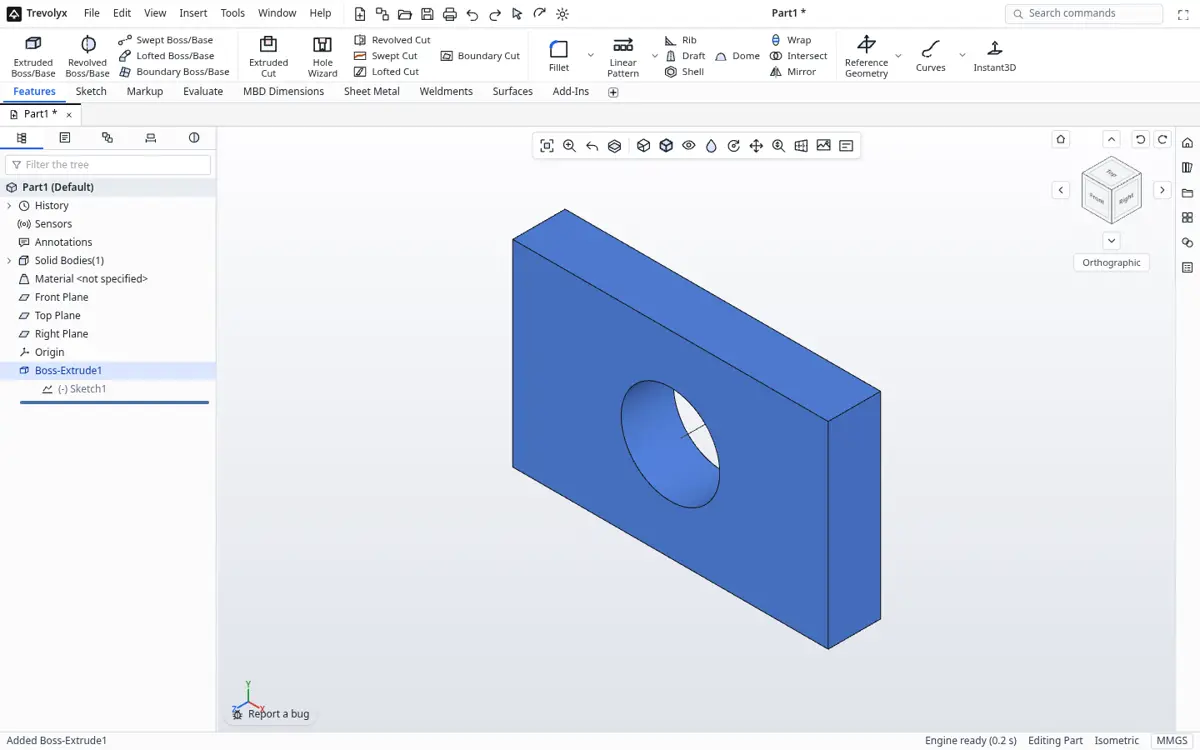
Trevolyx is a free, parametric 3D CAD that runs in a desktop web browser. It follows the SolidWorks layout: CommandManager ribbon, FeatureManager design tree and PropertyManager panels. It covers sketches with relations and dimensions, solid and surface features, sheet metal with flat pattern DXF export, weldments with a cut list, assemblies with mates and exploded views, and 2D drawings with section and detail views, balloons and a bill of materials. It reads and writes STEP.
It does not yet have simulation (FEA), 3D Sketch, Markup or MBD auto dimensioning. It runs in Chrome or Edge on Windows, macOS, Linux and ChromeOS; Safari and Firefox are not fully tested yet. It does not need an account, and files stay on your computer.
Quick picker
| If you are... | Start with |
|---|---|
| A SolidWorks user without a licence | Free SolidWorks alternative |
| On a Mac | Free SolidWorks alternative for Mac, or Free CAD for Mac |
| On a Chromebook | Free CAD for Chromebook |
| On Linux | Free CAD for Linux |
| An Inventor user | Free Inventor alternative, or Free Inventor alternative for Mac |
| A Fusion user | Free Fusion 360 alternative |
| A Solid Edge user | Free Solid Edge alternative |
| Working with CATIA suppliers or customers | Free CATIA alternative |
| Moving from AutoCAD 2D to 3D | Free AutoCAD 3D alternative |
| Comparing everything at once | Best free CAD software 2026 |
| A student | Free CAD for students |
| Needing FEA today | FreeCAD (open source, includes a FEM workbench) |
What we will not claim
We do not claim Trevolyx replaces a full commercial seat for every job. Large companies need PDM, simulation, CAM, certified graphics support and vendor service contracts. What Trevolyx offers is a familiar workflow, no cost, no install and private files, which covers a large share of everyday part, sheet metal, weldment, assembly and drawing work.
What a free CAD alternative has to do
Most people searching for a free alternative to a paid CAD program want the same three things: open the models they already have, make real changes to them, and send usable output to a shop or a printer. A tool that looks impressive but cannot read a STEP file, or cannot produce a dimensioned drawing, does not replace anything.
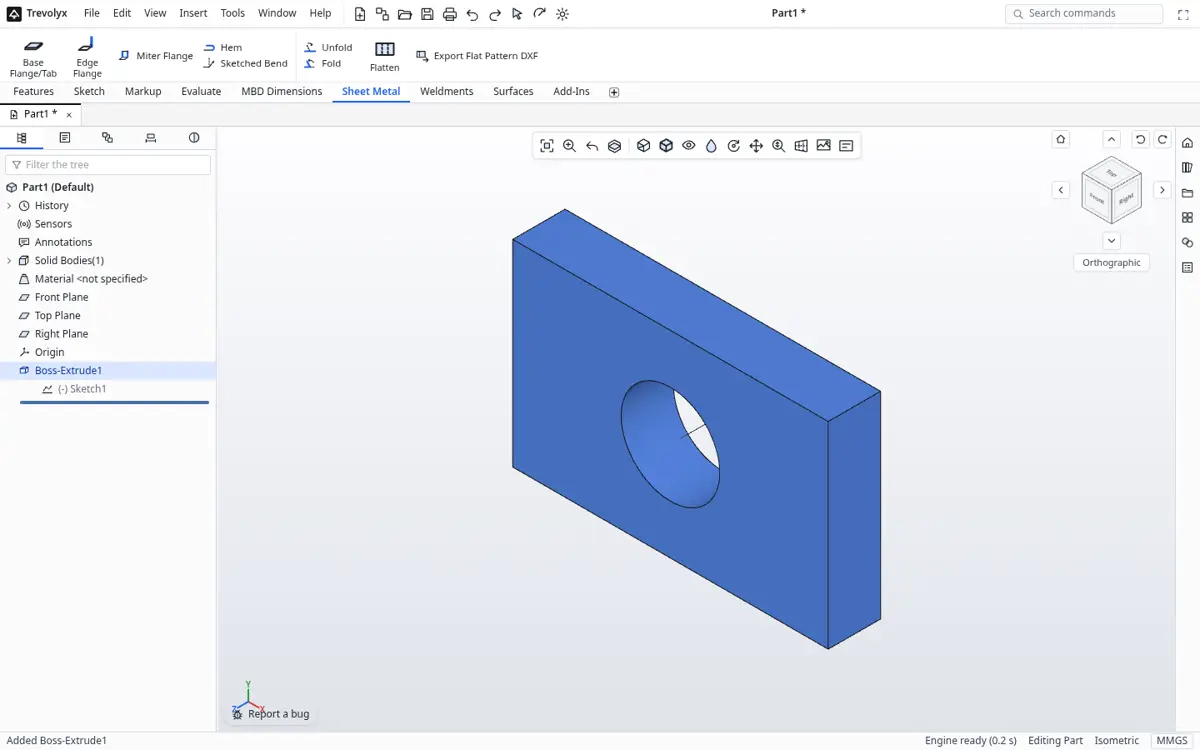
So every page in this section checks those three jobs first. Trevolyx opens STEP and IGES and exports STEP, edits parts with a parametric feature history, builds assemblies with mates, and makes 2D drawings that save as DXF and PDF. Sheet metal gives flat patterns and weldments give a cut list. Those are the jobs we are confident about.
Then we look at what is missing. Trevolyx v1 has no FEA simulation, no 3D sketch, no markup tools and no model based definition. If your work depends on any of those, the alternatives pages will tell you so and point to tools that have them.
Pages in this section
Free SolidWorks alternative for Mac covers the most common reason people look: SolidWorks desktop does not run natively on macOS. Free CAD for Mac compares every realistic free option on a Mac. Best free CAD software (2026) ranks six tools against one feature table, with links to each vendor's own pages.
The free SolidWorks alternative guide explains how the Trevolyx ribbon, FeatureManager style tree and shortcuts map to what SolidWorks users already know. There are also pages for Inventor (including Inventor on a Mac), Fusion 360, Solid Edge, CATIA and AutoCAD 3D users, and for Chromebook and Linux. Each one follows the same rules: official sources, honest limits and a step by step switch guide.
How to try Trevolyx in two minutes
Open trevolyx.taskninja.ai in Chrome or Edge on a desktop or laptop. There is no sign up and nothing to install. Click New Part, draw a sketch on the Front plane, and extrude it. If you have a STEP file from another program, click Open and pick it instead.
Your files stay on your computer. Trevolyx runs its geometry engine inside the browser with WebAssembly, so models are not uploaded to a server. Save with Ctrl+S to download a native file, or export STEP to move back to any other CAD program.
Frequently asked questions
Is there a completely free alternative to SolidWorks?
Yes. Trevolyx is free for personal and commercial use and follows the SolidWorks layout. FreeCAD is free and open source. Other well known free tiers, such as Onshape Free and Fusion for personal use, are limited to non-commercial use.
Which free CAD runs on a Mac?
Trevolyx runs in Chrome or Edge on macOS. FreeCAD has a native macOS build. Onshape runs in a browser. SolidWorks desktop and Inventor do not run natively on macOS.
Does Trevolyx have FEA?
Not yet. Simulation (FEA), 3D Sketch, Markup and MBD are not in v1.
Can I open my old SolidWorks or Inventor files?
Export STEP from the original program, then open the STEP in Trevolyx. Native files cannot be read directly.
Related
- Free SolidWorks alternative
- Free SolidWorks alternative for Mac
- Free CAD for Mac
- Best free CAD software 2026
- Free Onshape alternative
- FreeCAD alternative
- Free CAD for students
- Free Inventor alternative
- Free Inventor alternative for Mac
- Free Fusion 360 alternative
- Free Solid Edge alternative
- Free CATIA alternative
- Free AutoCAD 3D alternative
- Free CAD for Chromebook
- Free CAD for Linux
- Trevolyx guides and features
- Open Trevolyx
Sources
Competitor details checked on their official pages on 5 November 2026. Plans change; please confirm there.
SolidWorks, CATIA and 3DEXPERIENCE are trademarks of Dassault Systemes. Inventor, AutoCAD and Fusion are trademarks of Autodesk. Onshape is a trademark of PTC. Solid Edge is a trademark of Siemens. FreeCAD is a project of its community. Trevolyx is not affiliated with or endorsed by any of them; names are used only to describe compatibility and comparisons.