A free SolidWorks alternative that runs in your browser
Trevolyx is a free parametric CAD with a SolidWorks-style ribbon, feature tree, sheet metal, weldments, assemblies and drawings. No install, no licence, files stay on your PC.
Open TrevolyxFree, desktop browser, nothing uploaded.
Why people look for a SolidWorks alternative
SolidWorks is the tool most mechanical engineers in India learn first, in colleges, at CAD training institutes and on the job. It is also expensive. A commercial seat costs lakhs of rupees a year once you add the subscription, and the student and maker editions come with conditions: a valid student ID, a yearly renewal, a Windows PC with a dedicated graphics card and a large download.
That leaves a lot of people stuck. A diploma student who wants to practise at home, a fresher preparing for a design interview, a small fabrication shop that only needs a flat pattern and a cut list now and then, or a freelancer who opens a STEP file from a client once a week. None of them want to pirate software, and none of them need every add-on.
Trevolyx is built for exactly that gap. It copies the layout and workflow that SolidWorks users already know, runs entirely inside a desktop browser tab, and costs nothing.
What feels familiar if you know SolidWorks
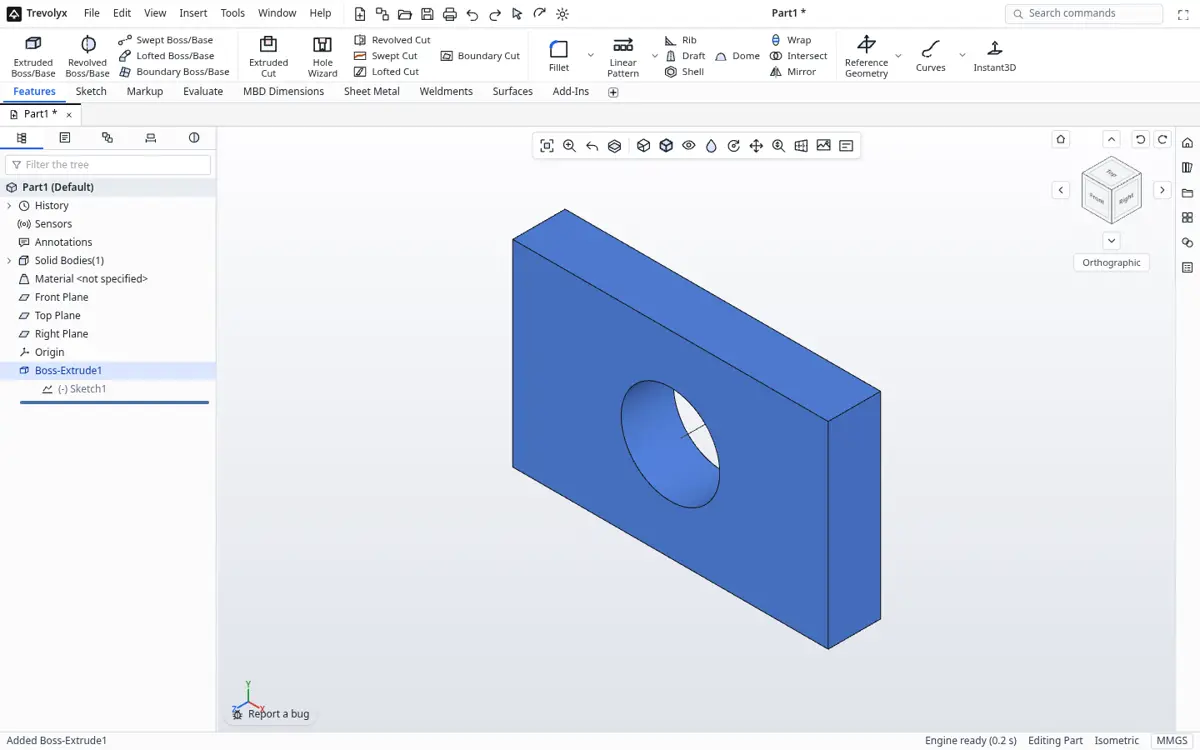
The screen is arranged the way your muscle memory expects. The CommandManager ribbon runs across the top with Features, Sketch, Evaluate, Sheet Metal and Weldments tabs. The FeatureManager design tree sits on the left with the Front, Top and Right planes and the Origin. The heads-up view toolbar floats over the graphics area. Right-click shows a context toolbar, and the S key opens the shortcut bar.
The command names are the ones you learned: Extruded Boss/Base, Extruded Cut, Revolved Boss/Base, Swept Boss/Base, Lofted Boss/Base, Fillet, Chamfer, Shell, Draft, Rib, Hole Wizard, Linear Pattern, Circular Pattern and Mirror. Sketches use Smart Dimension, Add Relation, Trim Entities, Offset Entities, Convert Entities and Mirror Entities. The icons are our own, but the logic is the same.
How to start your first part
- Open trevolyx.taskninja.ai in Chrome or Edge on a laptop or desktop. The start screen offers Part, Assembly and Drawing.
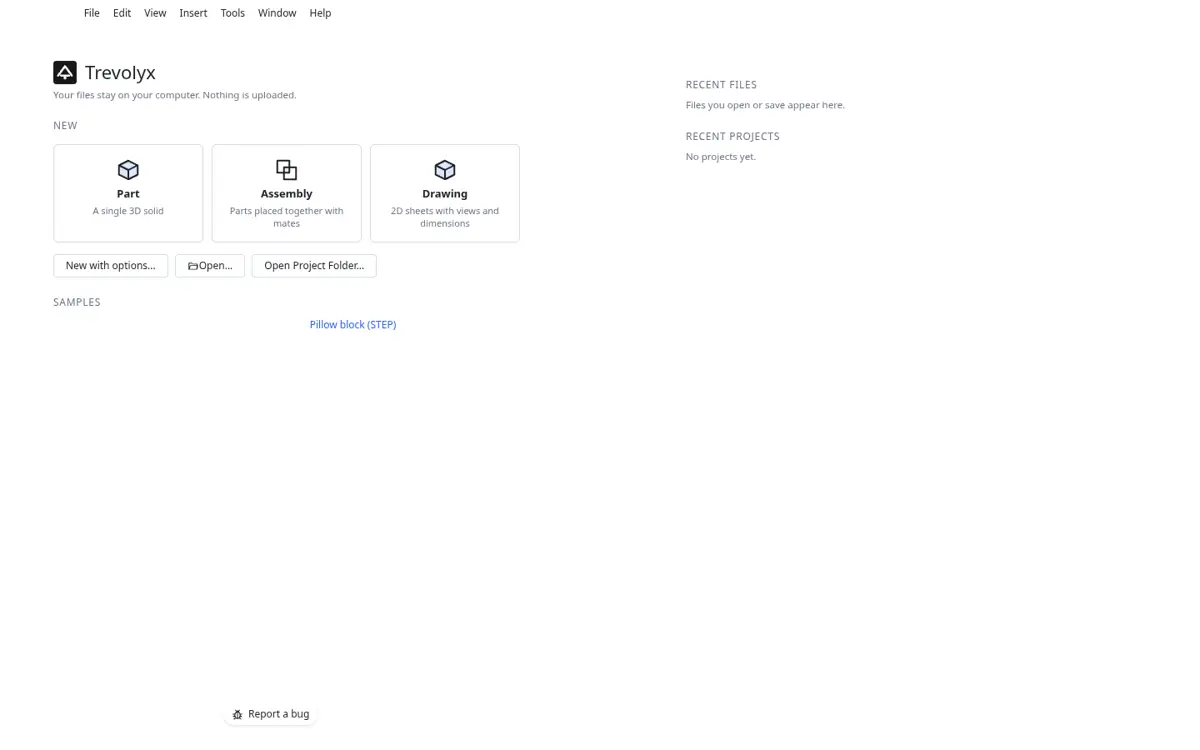
Trevolyx start screen with New Part, Assembly and Drawing tiles - Click Part. Open the Sketch tab, click Sketch and pick the Front Plane.
- Draw a Corner Rectangle and a Circle, then use Smart Dimension to size them. Fully defined geometry turns black, just like in SolidWorks.
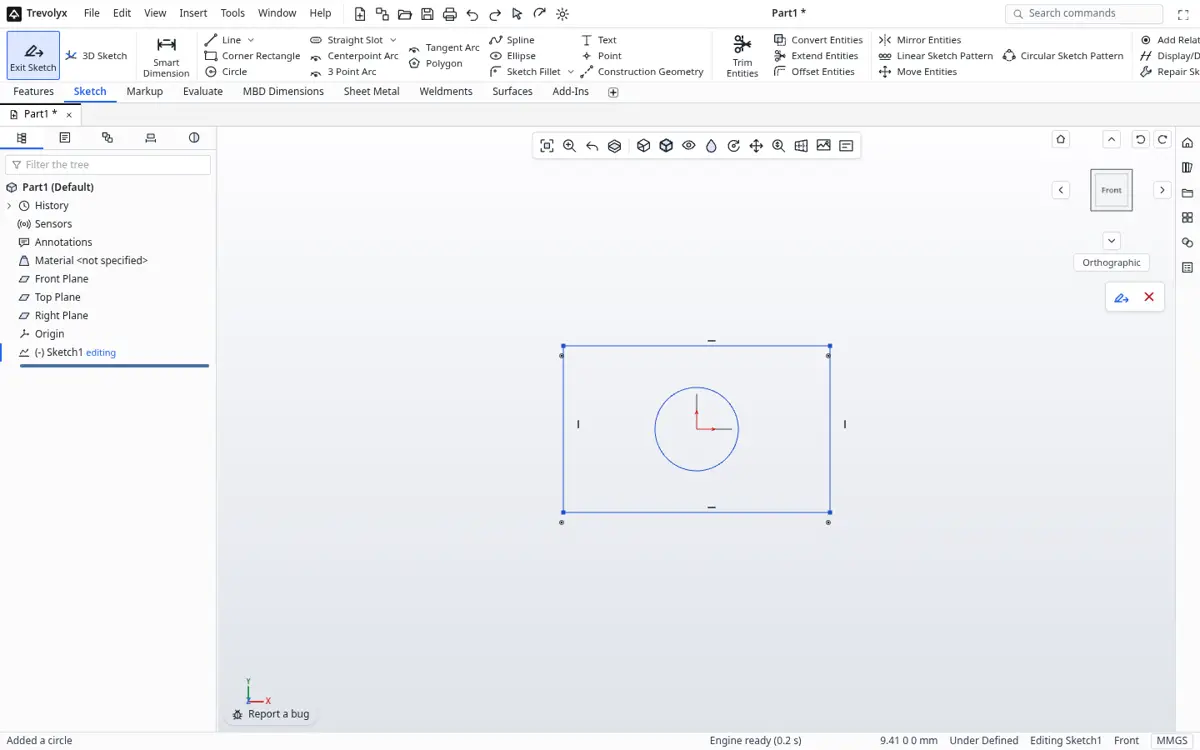
A rectangle and circle sketched on the Front Plane - Exit the sketch, open the Features tab and click Extruded Boss/Base. Set the depth in the PropertyManager and press OK.
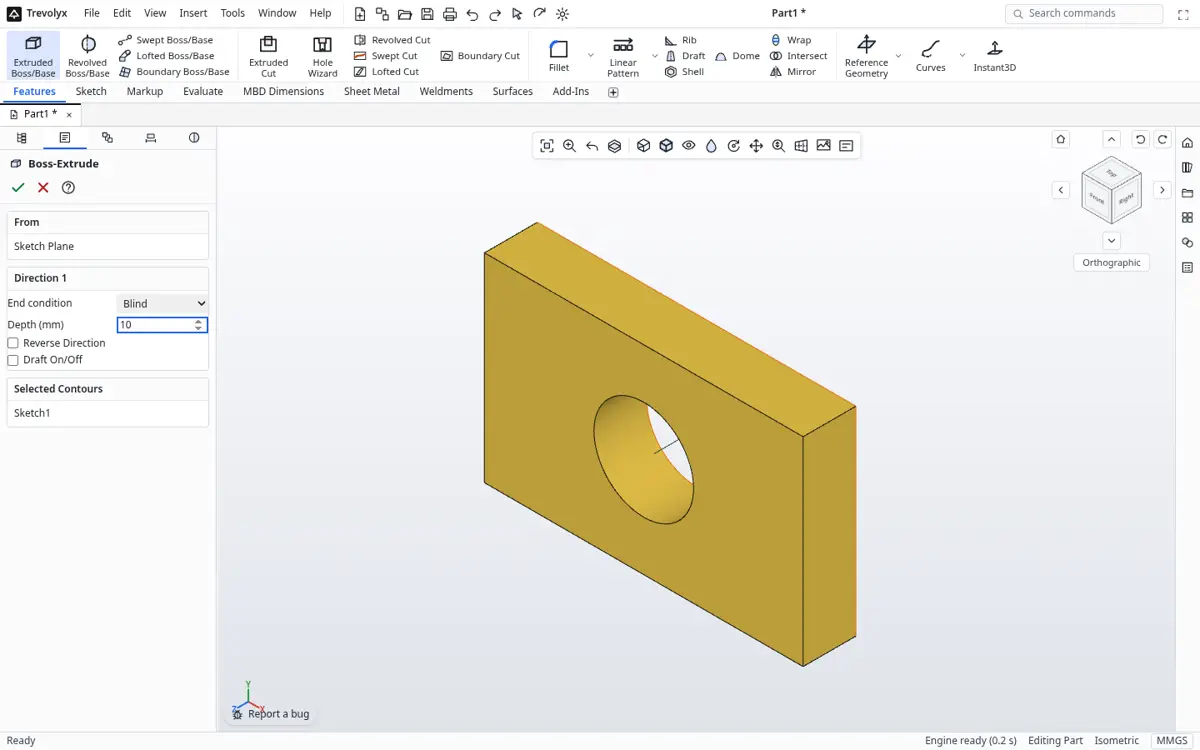
Extrude PropertyManager with a live preview - Save with Ctrl+S. The part is written as a .tnprt file on your own disk. Use File, Export to save a STEP or STL copy for anyone else.
Trevolyx vs SolidWorks: an honest comparison
Not in v1 yet: simulation (FEA), 3D Sketch, Markup and MBD auto dimensioning. FEA is planned next.
If you need very large assemblies with thousands of parts, PDM vaults or certified simulation, a commercial package is still the right tool. Trevolyx is for learning, small jobs, quick edits and anyone who wants real parametric modelling without a licence.
| Trevolyx v1 | SolidWorks | |
|---|---|---|
| Price | Free | Paid licence or subscription |
| Install | None, runs in a desktop browser | Windows install, certified GPU recommended |
| Parts: sketch, extrude, revolve, sweep, loft, fillet, shell, patterns | Yes | Yes |
| Equations and design tables | Yes | Yes |
| Sheet metal with flat pattern DXF | Yes | Yes |
| Weldments with cut list | Yes | Yes |
| Assemblies with mates, exploded view, BOM | Yes | Yes |
| 2D drawings with views, dimensions, balloons, DXF output | Yes | Yes |
| STEP and IGES import, STEP export | Yes | Yes |
| Simulation (FEA) | Not yet, planned | Yes (Simulation add-in) |
| 3D Sketch, Markup, MBD | Not yet | Yes |
| Native .sldprt files | No, use STEP | Yes |
| Files stay on your computer | Always, nothing is uploaded | Local, plus optional cloud |
Moving files between SolidWorks and Trevolyx
Trevolyx cannot read .sldprt or .sldasm files directly because the format is closed. In SolidWorks use File, Save As and choose STEP AP214 or AP242. Open that STEP file in Trevolyx and it comes in as an exact solid you can measure, sketch on and add features to.
Going the other way, export STEP from Trevolyx and open it in SolidWorks. For laser cutting, export the sheet metal flat pattern straight to DXF.
Is it really free?
Yes. There is no trial period, no feature lock and no watermark on exports. Trevolyx is supported by one small ad on the start screen, shown before you open a document and never while you model. Commercial use is allowed.
How to switch from SolidWorks
- In SolidWorks, open each part or top-level assembly and use File, Save As, STEP AP214. Keep the original files as your archive.
- Open trevolyx.taskninja.ai in Chrome or Edge and click Open on the start screen, then pick the STEP file. Parts and assemblies arrive as exact solids.
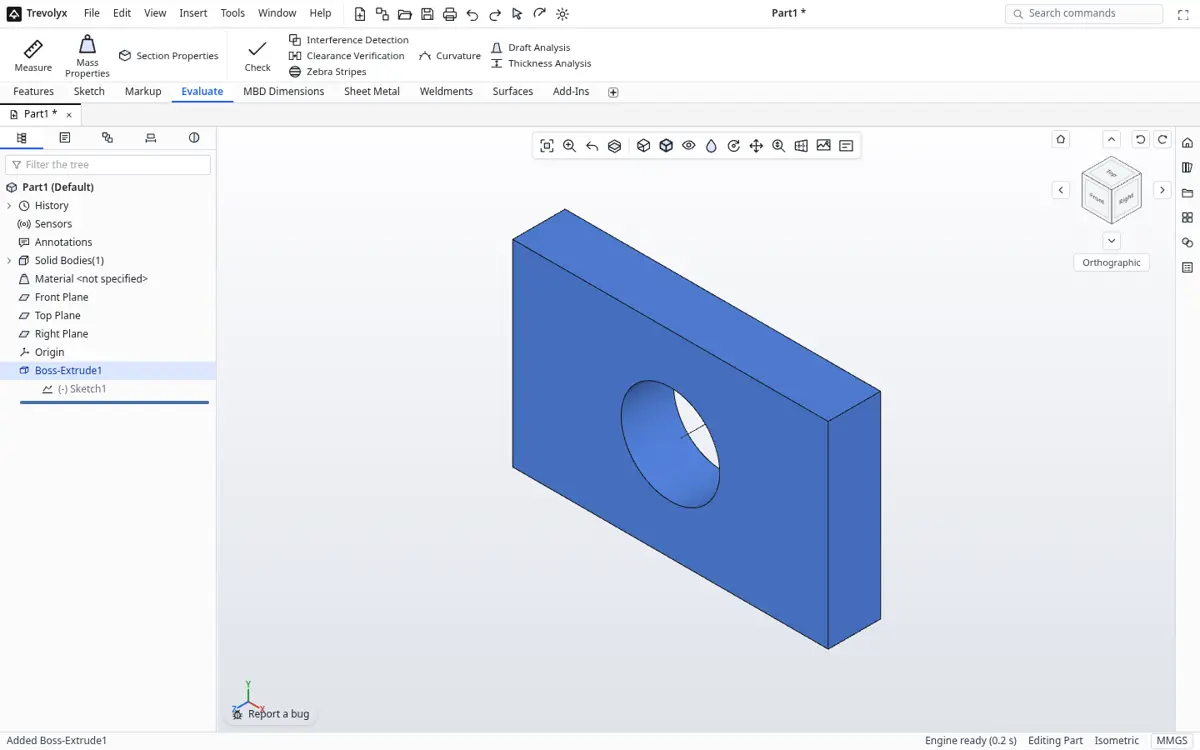
- Check the import with Measure and Mass Properties on the Evaluate tab.
- For parts you will change often, remodel the key features so the design is parametric again; feature history never transfers between CAD programs.
- Recreate drawings with Standard 3 View, Section and Detail views, then Save As DXF for vendors.
Frequently asked questions
Is Trevolyx really free?
Yes. There is no licence, no trial period and no account. It is supported by a small ad on the start screen only.
Can Trevolyx open SolidWorks files?
Not the native .sldprt format. Save as STEP in SolidWorks and open the STEP file in Trevolyx.
Do I need a powerful PC?
A recent laptop with Chrome or Edge is enough for parts and small assemblies. There is nothing to install.
Is it good for learning SolidWorks skills?
Yes. The ribbon, feature tree and command names follow SolidWorks, so what you practise here carries over.
Does it have simulation?
Not yet. FEA is the next planned feature after the v1 launch.
Related
SolidWorks, CATIA and 3DEXPERIENCE are trademarks of Dassault Systemes. Inventor, AutoCAD and Fusion are trademarks of Autodesk. Onshape is a trademark of PTC. Solid Edge is a trademark of Siemens. FreeCAD is a project of its community. Trevolyx is not affiliated with or endorsed by any of them; names are used only to describe compatibility and comparisons.