What Trevolyx can do
Parametric sketches with relations and dimensions, extrude, revolve, sweep, fillet, chamfer, shell, patterns, sheet metal, weldments, assemblies and drawings, all in your browser.
Open TrevolyxFree, desktop browser, nothing uploaded.
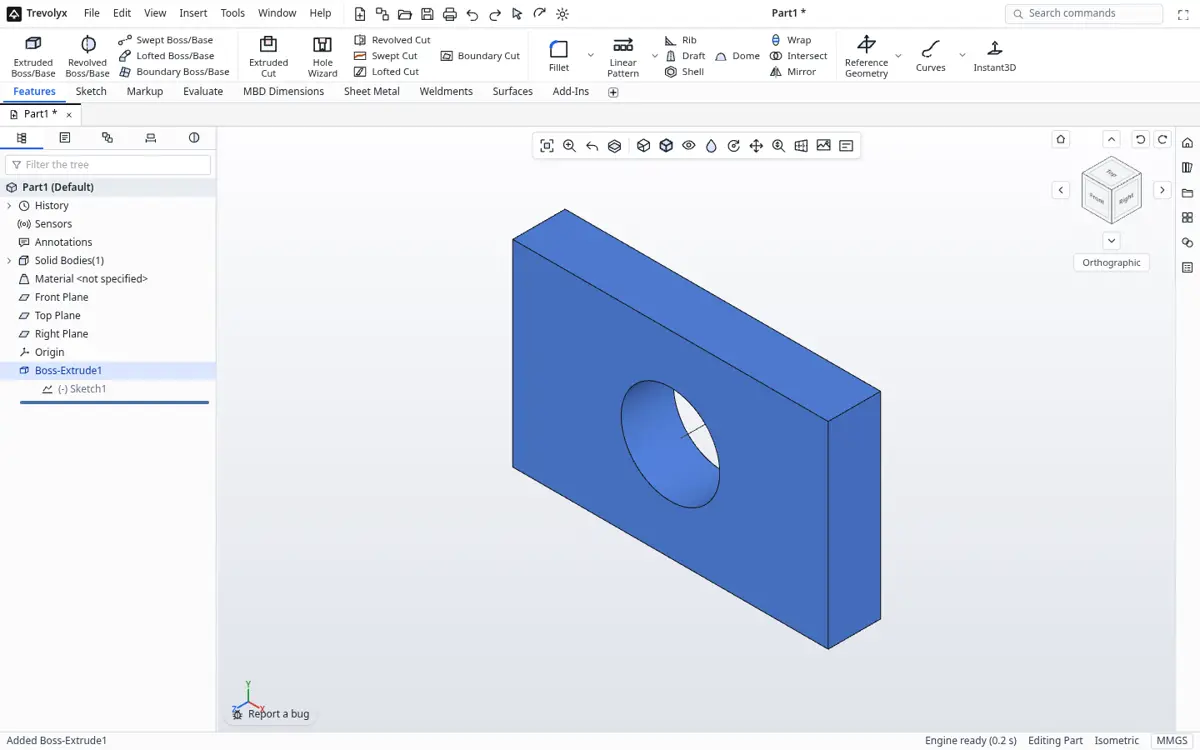
Sketches that hold their shape
Draw lines, arcs, circles, slots, polygons, ellipses and splines on any plane or flat face. Relations such as horizontal, tangent and coincident show as glyphs you can select and delete, and smart dimensions drive the sketch through a constraint solver that runs in a background worker.
Trim, extend, offset, mirror and construction geometry work the way mechanical designers expect.
Solid features with a history
Extrude, revolve and sweep sketches into solids, then add fillets, chamfers and shells with an exact B-rep engine. Every feature sits in a tree you can edit, suppress, reorder and roll back.
Sheet metal, weldments, assemblies and drawings
Base flanges and edge flanges for sheet metal, structural members for weldments, mates for assemblies, and 2D drawing sheets with views and dimensions.
Full command list by area
| Area | Commands in v1 |
|---|---|
| Sketch | Line, Corner Rectangle, Circle, Centerpoint Arc, Tangent Arc, Straight and Arc Slot, Polygon, Ellipse, Spline, Point, Centerline, Text, Smart Dimension, Add Relation, Trim, Extend, Offset, Convert, Mirror, Move, Sketch Fillet and Chamfer, Linear and Circular Sketch Pattern |
| Features | Extruded, Revolved, Swept, Lofted and Boundary Boss and Cut, Fillet, Chamfer, Shell, Draft, Rib, Dome, Wrap, Intersect, Hole Wizard, Helix/Spiral, Linear and Circular Pattern, Mirror, Planes and Axes |
| Surfaces | Extruded, Revolved, Swept, Lofted and Planar Surface, Knit, Trim, Thicken |
| Sheet metal | Base Flange/Tab, Edge Flange, Miter Flange, Hem, Sketched Bend, Unfold, Fold, Flatten, Export Flat Pattern DXF |
| Weldments | Structural Member, Trim/Extend, Gusset, End Cap, Export Cut List |
| Evaluate | Measure, Mass Properties, Section Properties, Interference Detection, Clearance Verification, Draft, Thickness, Curvature and Zebra Stripes |
| Assemblies | Insert Components, Mate, Linear Component Pattern, Exploded View |
| Drawings | Standard 3 View, Model View, Projected, Section and Detail View, dimensions, Balloons, Bill of Materials, Save as DXF |
| Data | Equations, Design Tables, configurations |
| Not yet | Simulation (FEA), 3D Sketch, Markup, MBD auto dimensioning |
Frequently asked questions
Is Trevolyx parametric?
Yes. Sketches use relations and driving dimensions, and every feature sits in a history tree you can edit, suppress, reorder and roll back. Equations, design tables and configurations are also supported.
Does Trevolyx have sheet metal and weldments?
Yes. Sheet metal includes base flange, edge flange, miter flange, hem, sketched bend, unfold, fold and flatten, with flat pattern DXF export. Weldments include structural members, trim and extend, gussets, end caps and a cut list exported as CSV.
Can I make 2D drawings?
Yes. Drawings include standard three views, model, projected, section and detail views, dimensions, balloons and a bill of materials, and save as PDF or DXF.
What is not in v1?
Simulation (FEA), 3D Sketch, Markup and MBD auto dimensioning are not available yet.
Which file formats can I use?
Trevolyx opens STEP, IGES and mesh files such as STL, OBJ, 3MF and GLB, and exports STEP, STL, 3MF, GLB, OBJ and DXF. Native files are .tnprt, .tnasm and .tndrw.
Is it free?
Yes. Trevolyx is free to use in a desktop browser with no account, and files stay on your own computer.