Free CAD for mechanical engineering students
Practise SolidWorks-style parametric modelling at home for free, on any laptop, with no licence or student ID. Parts, sheet metal, assemblies and drawings.
Open TrevolyxFree, desktop browser, nothing uploaded.
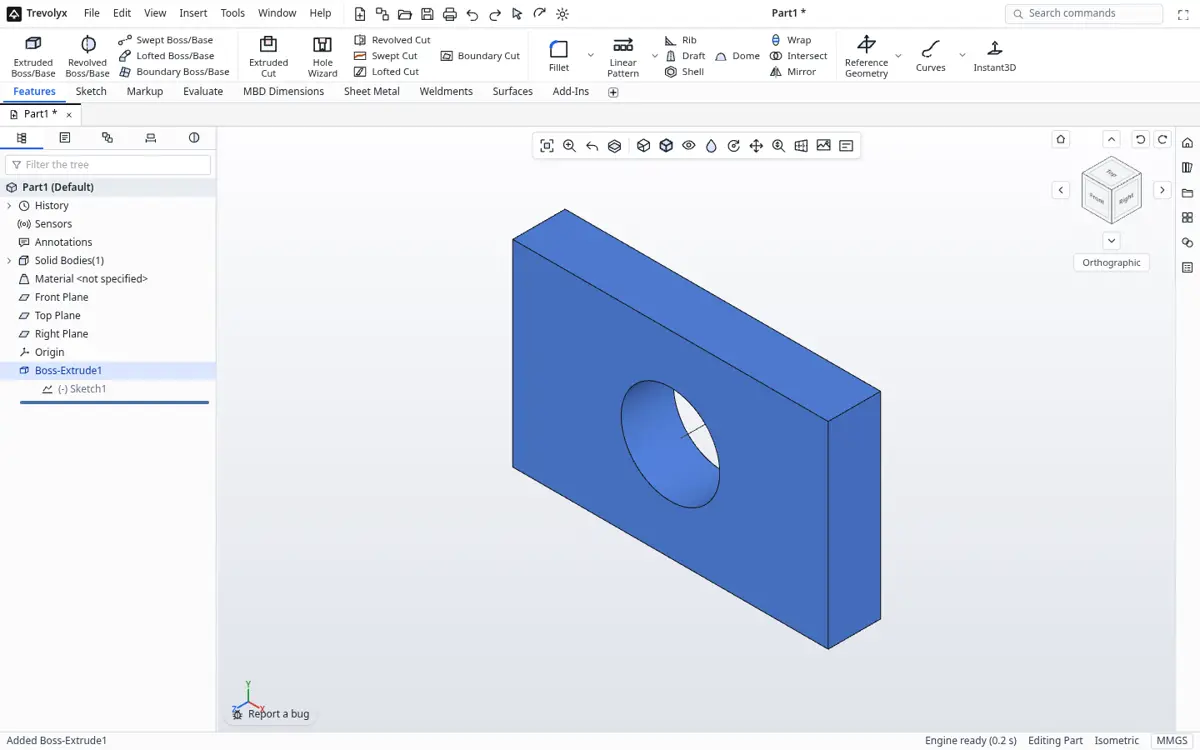
The problem every student hits
Colleges teach CAD in the lab, but practice happens at home. Many students in India do not have a Windows PC powerful enough for desktop CAD, and student licences need a college email, an ID upload and yearly renewal. The result is that students either stop practising or download cracked software, which brings malware and is illegal.
Trevolyx removes those barriers. It runs on a normal laptop in Chrome or Edge, needs no account, and teaches the same workflow used in industry.
A 7 day practice plan
- Day 1: Sketching. Lines, arcs, circles, Smart Dimension and relations until every sketch is fully defined.
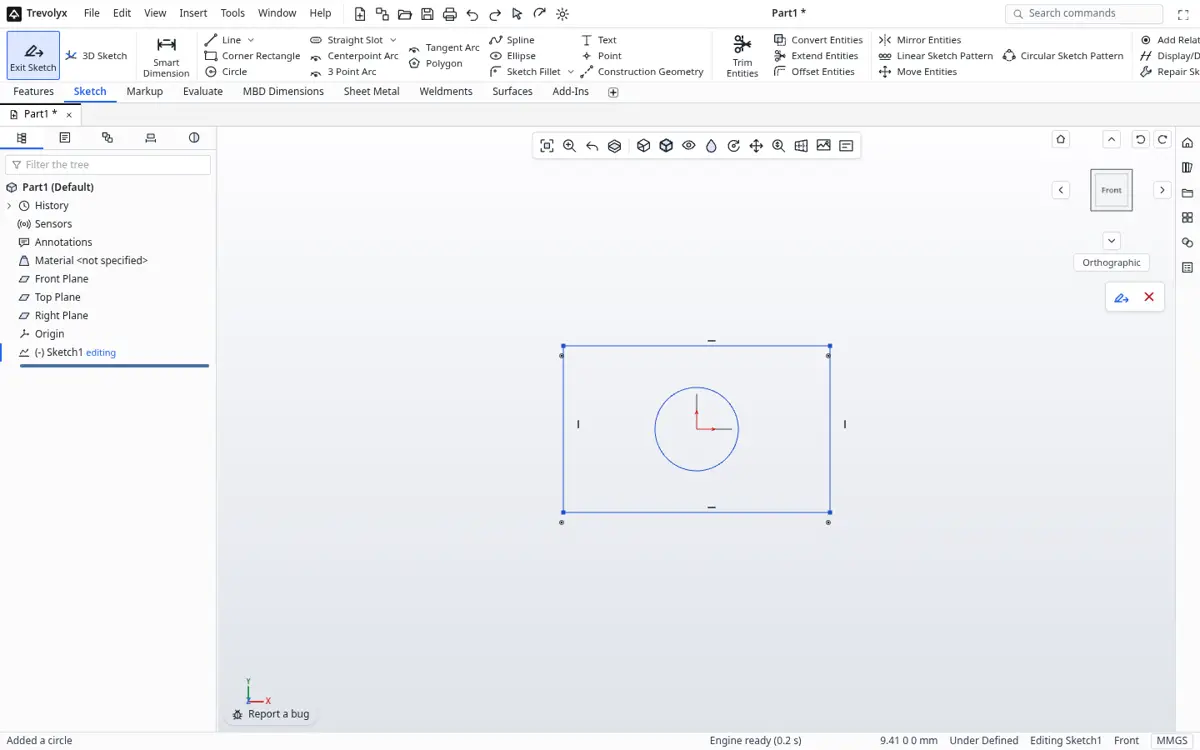
Sketching on the Front Plane - Day 2: Extrude, cut, revolve. Model a flange, a shaft with a keyway and a pulley.
- Day 3: Fillet, chamfer, shell, rib, draft. Model a plastic housing.
- Day 4: Patterns, mirror, Hole Wizard and equations. Model a bolted cover plate driven by one diameter.
- Day 5: Sheet metal. A U-bracket with a flat pattern DXF.
- Day 6: Assembly. Put together a pillow block bearing with mates, then explode it.
- Day 7: Drawing. Make a fully dimensioned first angle drawing of Day 2's shaft.
Skills that transfer to interviews
Design interviews for GET and trainee roles usually ask you to model a part from a drawing in limited time, explain design intent and read a drawing. Because Trevolyx uses the same command names and tree as SolidWorks, the habits you build here carry over directly. Keep your practice files in a project folder and show them in interviews as a portfolio.
Student options compared
| Trevolyx | Student desktop licence | Cracked software | |
|---|---|---|---|
| Cost | Free | Free or discounted, with conditions | Free but illegal |
| Needs college ID | No | Yes | No |
| Runs on a basic laptop | Yes | Often slow | Often slow |
| Malware risk | None | None | High |
| Simulation | Not yet | Often included | Varies |
A practice plan for semester projects and interviews
Start with simple parts: a flange, a bracket, a shaft with a keyway. Focus on fully defined sketches, where every line is black because it has dimensions and relations. Then move on to features that interviewers love to ask about: shell, draft, rib, sweep along a path and loft between profiles. Recreate parts from your machine drawing textbook; they are already dimensioned.
After that, build a small assembly, such as a plummer block, a screw jack or a knuckle joint, with mates, an exploded view and a drawing with a BOM. That one project shows nearly every skill a design role expects.
Using lab computers and low-end laptops
Because Trevolyx runs in a browser tab, it works on college lab machines where you cannot install software, as long as Chrome or Edge is available. Save your files to a pen drive or your own cloud folder before you leave. On laptops with integrated graphics, keep models reasonably simple and close other tabs; most student exercises run comfortably.
What transfers to the commercial tools
The skills are the same ones used in SolidWorks and similar programs: sketch constraints, design intent, feature order, mates and drawing standards. The command names and layout match too, so moving to a licensed seat at a company is easy. Export STEP if you ever need to move a model into another program.
Building a portfolio that gets noticed
Recruiters for design roles want proof, not just a course certificate. Pick three projects: one detailed part with a clean, fully dimensioned drawing, one sheet metal or weldment part with its flat pattern or cut list, and one assembly with an exploded view and BOM. Export a few clean screenshots and the drawing DXFs, put them in a simple online folder and link it on your resume. Be ready to explain your design intent: why you chose each feature order, which dimensions are driving and how the model would change if a requirement changed.
Practise speed too. Many design interviews include a timed modelling test, so time yourself recreating a part from a drawing and try to beat it each week.
A first project plan
Week one: sketches, relations and smart dimensions, then extrude and revolve. Week two: fillets, chamfers, shell, holes and patterns. Week three: an assembly with mates and an exploded view. Week four: a drawing with three views, a section, dimensions, balloons and a bill of materials, saved as PDF for submission.
Sheet metal and weldments make good extension tasks because they produce real manufacturing outputs: a flat pattern DXF for a laser cutter and a cut list CSV for a frame.
Honest limits for coursework
Trevolyx v1 does not have simulation (FEA), 3D Sketch, Markup or MBD. If a course requires stress analysis, use a tool that has it for that part of the work, and move geometry across with STEP. If a course requires a particular commercial program, use that program's education licence for assessed work.
Frequently asked questions
Can I submit drawings as PDF?
Yes. Drawings save as vector PDF at true sheet size.
Do I need a student ID?
No. Anyone can use Trevolyx for free.
Can I use it for my final year project?
Yes. You can model parts, assemblies and drawings, and export STEP for others.
Is it the same as SolidWorks?
It is a different program that follows the same layout and workflow, so skills transfer. It does not open native SolidWorks files.