A free SolidWorks alternative for Mac
SolidWorks desktop does not run natively on macOS. Trevolyx is a free SolidWorks-style CAD that runs in Chrome or Edge on your Mac: no Windows, no virtual machine, files stay on your Mac.
Open TrevolyxFree, desktop browser, nothing uploaded.
The Mac problem in one paragraph
SolidWorks desktop is a Windows program. Its official system requirements list Windows 10 and Windows 11 for the client, and state that Macs running Windows through Boot Camp are not supported. Apple Silicon Macs (M1 and later) cannot run Boot Camp at all. The remaining route is a Windows virtual machine; SOLIDWORKS lists Parallels Desktop as a supported hypervisor, but its own blog says it cannot recommend virtualization over a traditional PC because of graphics and performance limits. In practice that means buying Parallels and a Windows licence, giving the virtual machine a large share of your RAM, and still living with a CAD program that is not designed for your machine.
The browser-based SOLIDWORKS xDesign for Makers does run on a Mac, but it is a paid subscription for personal, non-commercial use, needs a constant internet connection, and its files can only be opened with a Makers licence, according to the official FAQ.
What Trevolyx offers Mac users
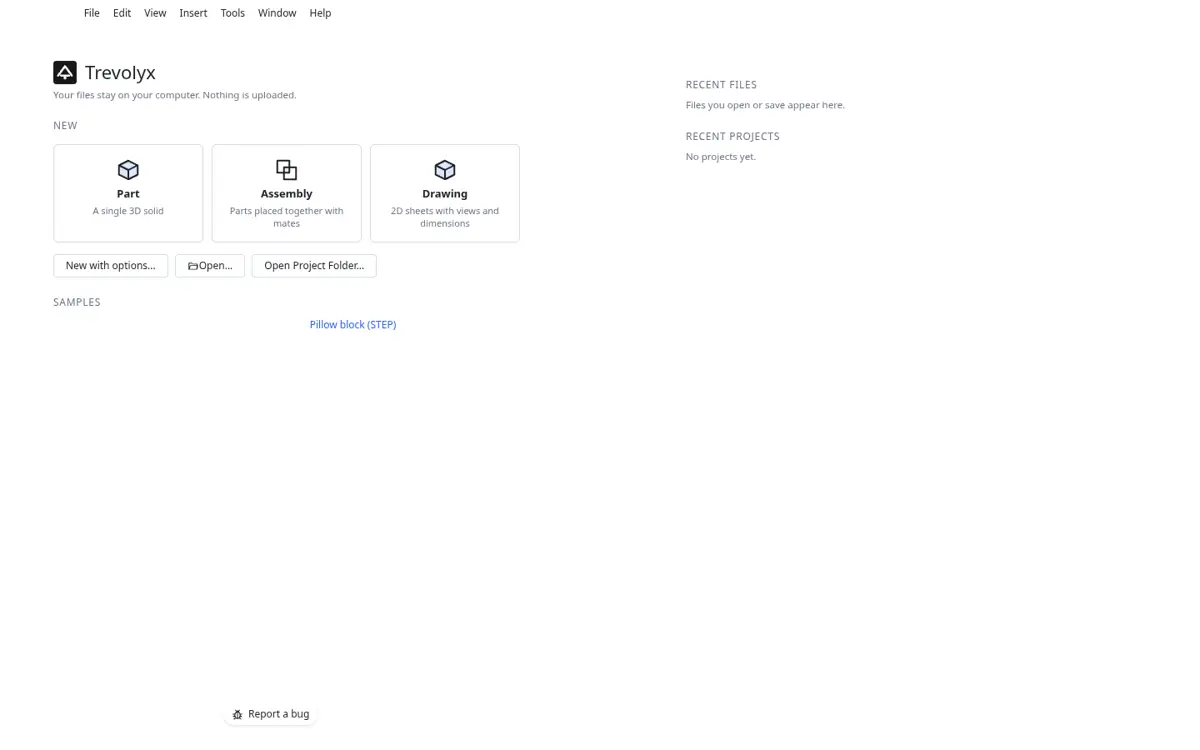
Trevolyx is a free parametric CAD that runs in a desktop browser tab. On a Mac you open it in Chrome or Edge, the same as on Windows. There is no installer, no virtual machine and no Windows licence. The modelling engine is compiled to WebAssembly and runs on your Mac's own processor, including Apple Silicon, and the 3D view uses WebGL2 on your Mac's built-in GPU.
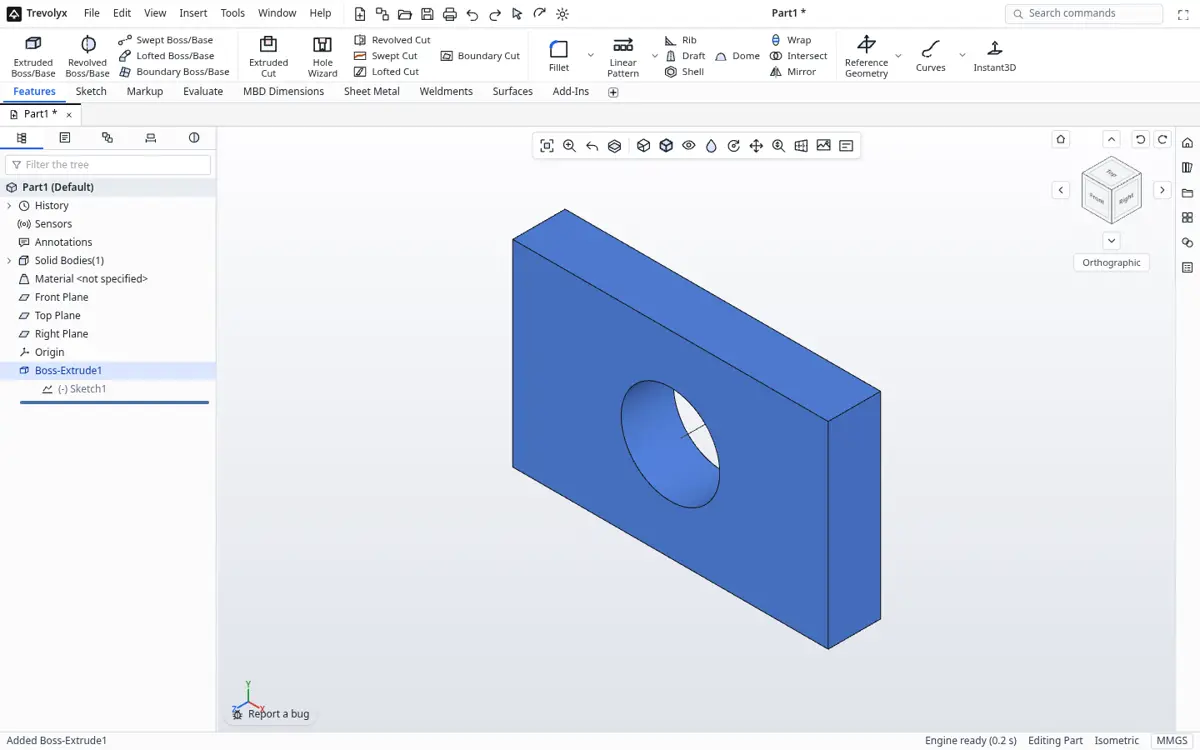
The screen follows the SolidWorks layout you learned in college or at work: the CommandManager ribbon with Features, Sketch, Evaluate, Sheet Metal and Weldments tabs, the FeatureManager design tree with Front, Top and Right planes, PropertyManager panels for each command, and familiar names such as Extruded Boss/Base, Hole Wizard, Smart Dimension and Convert Entities.
An honest note about Safari
Our tested browsers are Chrome and Edge. Both are available for macOS and use the same Chromium engine, WebGL2 and WebAssembly support as the Windows and Linux builds we test on. We have not yet completed our full test pass on a physical Mac, and Safari is not fully tested, so you may meet rough edges there. For the best result on a Mac, install Chrome or Edge and use Trevolyx in that. If something looks wrong, our system requirements page has a Check my computer button that tests WebGL2, WebAssembly, memory and CPU threads in a few seconds.
Comparison for Mac users
| Trevolyx | SolidWorks desktop | SOLIDWORKS xDesign for Makers | |
|---|---|---|---|
| Runs natively on macOS | In Chrome or Edge | No (Windows only) | In a browser |
| Price | Free | Commercial licence | Paid personal subscription |
| Commercial use | Allowed | With commercial licence | No (personal use) |
| Account required | No | Yes | Yes |
| Files stored | On your Mac | On your PC | In the cloud |
| Works with slow internet | Yes, after loading | Yes | No, constant connection needed |
| Sheet metal and weldments | Yes | Yes | Yes |
| Simulation (FEA) | Not yet | Yes (add-on) | Motion studies |
| 3D Sketch, MBD | Not yet | Yes | Varies by app |
How to switch from SolidWorks to Trevolyx on a Mac
- On the Windows PC or virtual machine where your SolidWorks files are, open each part or assembly and use File, Save As, STEP AP214 (.step). For an assembly, save the top-level assembly as one STEP file.
- Copy the STEP files to your Mac by USB drive, AirDrop or your usual cloud folder.
- Open trevolyx.taskninja.ai in Chrome or Edge on your Mac and choose Open on the start screen. Pick the STEP file.
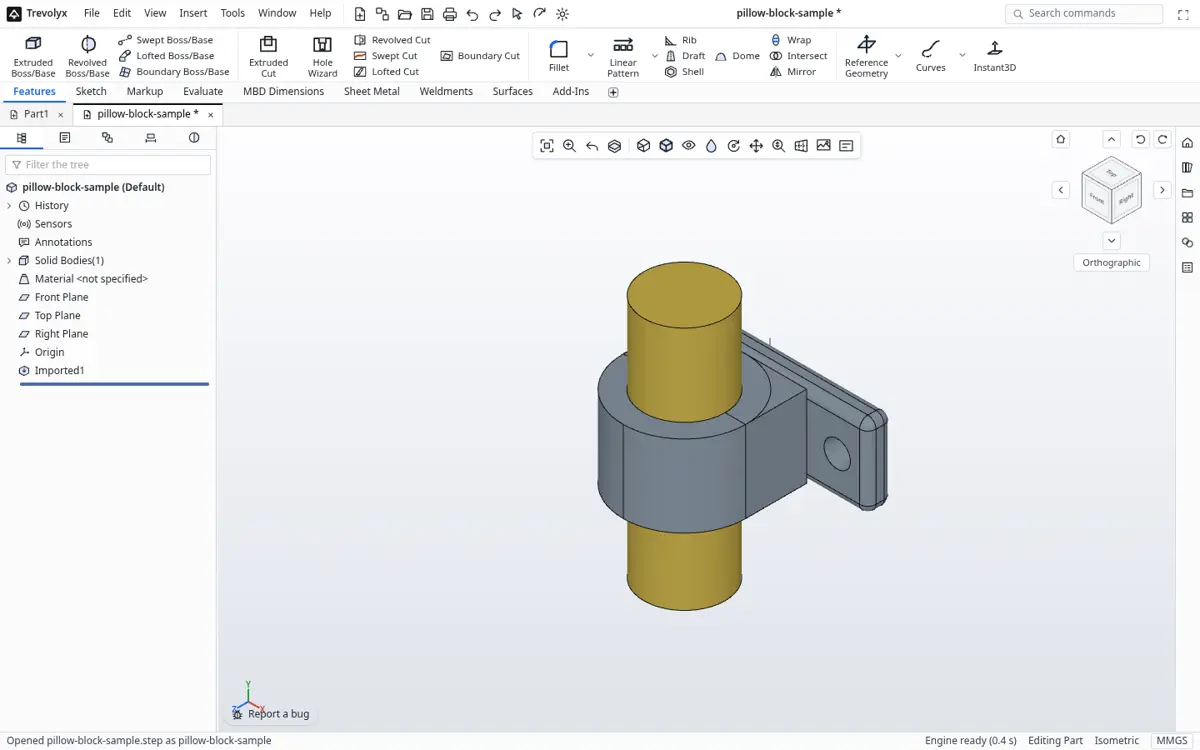
A STEP model opened in Trevolyx - Use Measure and Mass Properties from the Evaluate tab to confirm the geometry came across correctly.
- Add new features on top: sketch on a face, then Extruded Cut or Extruded Boss/Base. Save as .tnprt to keep the new history.
What does not transfer
STEP carries exact geometry, not feature history. Your SolidWorks feature tree, sketches, equations and configurations will not come across; the imported model arrives as a solid you can measure, section and build on. Drawings do not transfer either. For parts you will edit often, it is usually worth remodelling the key features in Trevolyx so the design is fully parametric again. For parts you only reference, the imported STEP is enough.
Mac shortcuts and mouse tips
A three-button mouse with a scroll wheel makes CAD far easier than a trackpad. Scroll zooms, the middle button rotates, and Ctrl with the middle button pans. Keyboard shortcuts in Trevolyx follow the Windows CAD conventions, so Ctrl+S saves and Ctrl+Z undoes. Use the browser's full screen mode for more modelling space, and keep the Mac on power for long sessions; WebGL work uses the GPU and drains a battery faster than browsing.
Who should still use SolidWorks
If your employer provides a SolidWorks seat on a Windows workstation, use it; certified graphics, PDM and add-ins matter at scale. If you need integrated FEA or MBD today, Trevolyx does not have those yet. Trevolyx is for the Mac owner who wants a familiar, free, private CAD without setting up Windows.
Performance on Apple silicon and Intel Macs
Trevolyx draws with WebGL2, which Chrome and Edge on macOS provide on both Apple silicon and Intel Macs. The geometry engine is a WebAssembly build, so it runs the same code on every platform. In our measurements on Chromium, a first visit downloads about 8.3 MB and a typical session uses around 400 MB for the tab and GPU process together. Any Mac with 8 GB of memory has room to spare for parts and small assemblies.
Because there is no full test pass on a physical Mac yet, treat this as guidance rather than a guarantee. Use the Check my computer button on the system requirements page to confirm WebGL2, WebAssembly and memory on your own machine in a few seconds.
Frequently asked questions
Can I run SolidWorks on a Mac?
Not natively. SolidWorks desktop requires Windows. Boot Camp is not supported, and Apple Silicon Macs cannot use it. A Windows virtual machine in Parallels is the remaining route.
Is Trevolyx free on Mac?
Yes. It is free for personal and commercial use, with one small ad on the start screen and none while you model.
Does Trevolyx run on Apple Silicon?
It runs in Chrome or Edge, which run natively on Apple Silicon. The engine is WebAssembly, so it does not need Intel code.
Does it work in Safari?
Safari is not fully tested yet. Use Chrome or Edge on macOS for the best result.
Can I open SLDPRT files?
No. Save as STEP in SolidWorks first, then open the STEP in Trevolyx.
Is there FEA?
Not yet. Simulation (FEA), 3D Sketch, Markup and MBD are not in v1.
Related
Sources
Competitor details checked on their official pages on 5 November 2026. Plans change; please confirm there.
SolidWorks, CATIA and 3DEXPERIENCE are trademarks of Dassault Systemes. Inventor, AutoCAD and Fusion are trademarks of Autodesk. Onshape is a trademark of PTC. Solid Edge is a trademark of Siemens. FreeCAD is a project of its community. Trevolyx is not affiliated with or endorsed by any of them; names are used only to describe compatibility and comparisons.