Free CAD software for Mac
The realistic free 3D CAD options for macOS in 2026: Trevolyx in Chrome or Edge, FreeCAD, Onshape Free and Fusion for personal use, with their limits. Plus how to move files from Windows CAD.
Open TrevolyxFree, desktop browser, nothing uploaded.
Why Mac users have fewer choices
Most mechanical CAD grew up on Windows workstations. SolidWorks, Inventor, Solid Edge and CATIA all require Windows according to their vendors' system requirements. Mac owners who want 3D CAD either run Windows in a virtual machine, choose one of the few programs built for macOS, or use CAD that runs in a browser.
The good news is that browser CAD has become genuinely capable, and Apple Silicon Macs have fast processors and capable integrated GPUs that suit it well.
The main free options
| Option | How it runs on Mac | Free tier limits (from official pages) |
|---|---|---|
| Trevolyx | Chrome or Edge on macOS | Free incl. commercial use; no FEA, 3D Sketch or MBD yet |
| FreeCAD | Native macOS app | Free and open source |
| Onshape Free | Browser | Non-commercial only; all documents are public |
| Fusion for personal use | Native macOS app | Non-commercial, under 1,000 USD revenue; 10 editable documents; limited drawings and export |
| SOLIDWORKS xDesign for Makers | Browser | Paid subscription, personal use, always online |
Trevolyx on a Mac
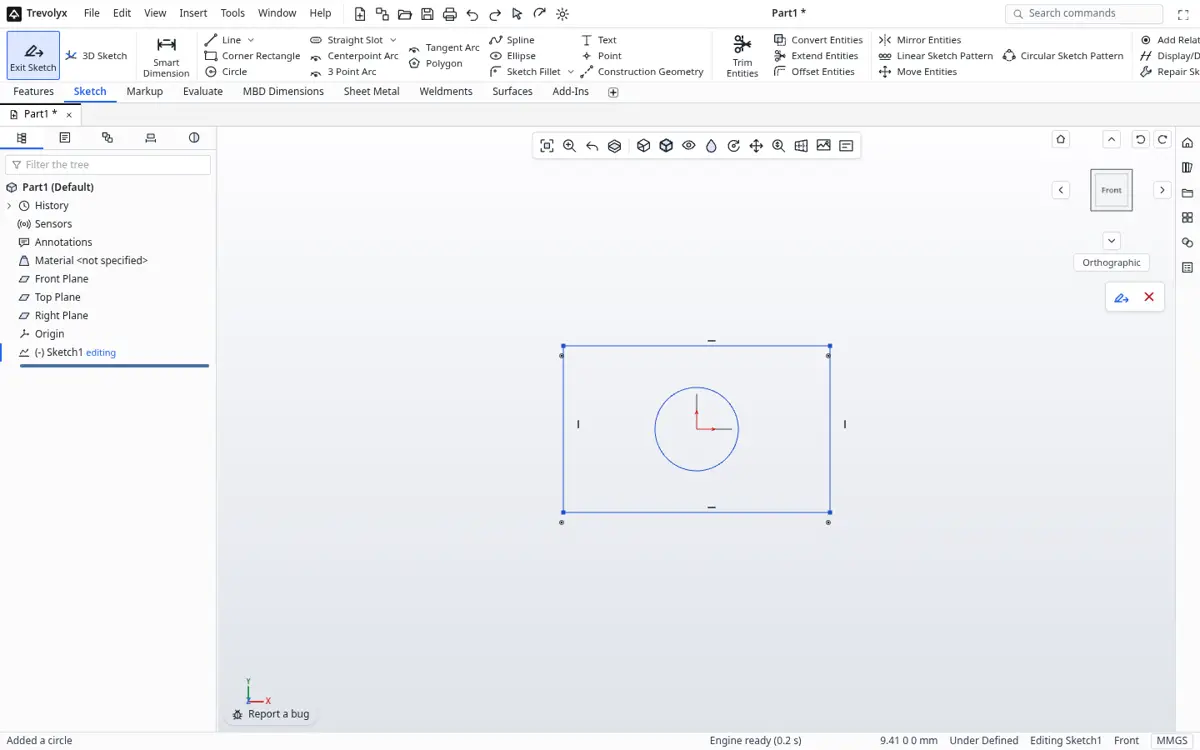
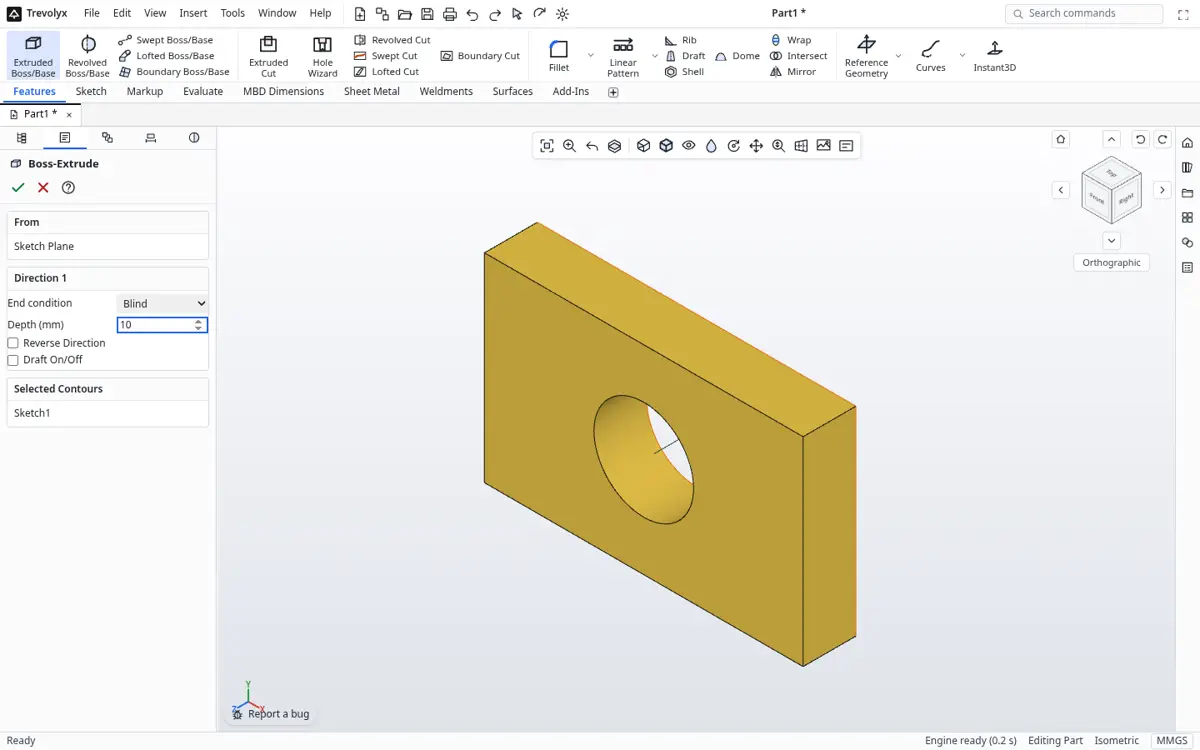
Trevolyx is a SolidWorks-style parametric CAD in a browser tab. Open it in Chrome or Edge and you get the CommandManager ribbon, FeatureManager tree and PropertyManager panels. It handles sketches, solid and surface features, sheet metal with flat pattern DXF, weldments with cut list CSV, assemblies with mates and exploded views, and 2D drawings. Files save to your Mac as .tnprt, .tnasm and .tndrw, and STEP, STL, 3MF, OBJ, GLB and DXF are available for export.
Safari is not fully tested yet, so use Chrome or Edge. Our full test pass on a physical Mac is still in progress; Chrome and Edge on macOS share the same browser engine as the builds we test.
FreeCAD on a Mac
FreeCAD is a mature open source CAD with a native macOS build. It has many workbenches, including a FEM workbench for simulation, which Trevolyx does not have. Its interface is organised differently from SolidWorks, so expect a learning period if that is your background. It is a strong choice if you want open source software or need FEA today.
Onshape Free and Fusion for personal use
Onshape runs in a browser and its Free plan includes parts, assemblies, drawings, sheet metal and weldments, but the official pricing page states it is for non-commercial use only and that all documents are accessible to the public. That rules it out for client work or anything under NDA.
Autodesk Fusion has a native macOS app. Fusion for personal use is free for qualifying home-based, non-commercial users generating under 1,000 USD a year, and is limited to 10 editable documents at a time, with limited drawings and export types, according to Autodesk.
How to pick
If you learned SolidWorks and want the same workflow without Windows, try Trevolyx first. If you need FEA or want open source, use FreeCAD. If you collaborate on public open hardware projects, Onshape Free fits. If you do CAM for a home CNC, Fusion for personal use is worth a look within its limits. Many Mac users keep two of these and move geometry between them with STEP.
Moving files from Windows CAD to your Mac
- In SolidWorks, Inventor, Solid Edge or CATIA on Windows, export each model as STEP (AP214 or AP242).
- Copy the files to your Mac.
- Open Trevolyx in Chrome or Edge and use Open on the start screen to load the STEP file.
- Check sizes with Measure, then keep working: sketch on faces and add features. Save as .tnprt.
Hardware tips for Mac CAD
Any Apple Silicon Mac handles typical parts comfortably in our experience with the browser engine. 8 GB of unified memory is workable for parts and small assemblies; more helps with large imported assemblies. Use an external mouse with a scroll wheel, and keep macOS and your browser updated so WebGL2 drivers stay current.
Questions to ask before you choose
Do you need to open SolidWorks or Inventor models? Then you need good STEP import, and you should plan to keep native files in an archive. Do you need private files? Onshape Free makes documents public, so check that limit on its pricing page. Do you work offline? Browser and cloud tools need a connection at least to load, while FreeCAD installs locally.
Do you need simulation? Trevolyx has none, and FreeCAD offers a FEM workbench. Do you need a drawing for a machine shop? Every option in the table can produce one, but the workflow differs. Trying two tools for an afternoon each with one of your real parts is the fastest way to decide.
Finally, think about where you will be in a year. If you expect to move into a job that uses SolidWorks, Trevolyx keeps the same ribbon layout and shortcuts, so the habits you build carry over. If you expect to contribute to open source projects, FreeCAD files are the common format there.
Frequently asked questions
What is the best free CAD for Mac?
It depends on the job. Trevolyx suits SolidWorks users who want a familiar workflow in Chrome or Edge. FreeCAD suits open source fans and anyone who needs FEA. Onshape Free suits public, non-commercial projects.
Can I use free CAD on a Mac commercially?
Trevolyx and FreeCAD allow commercial use. Onshape Free and Fusion for personal use are non-commercial only, according to their official pages.
Do I need Parallels for CAD on a Mac?
Not for Trevolyx, FreeCAD, Onshape or Fusion. You need a Windows virtual machine only for Windows-only programs such as SolidWorks desktop or Inventor.
Does Trevolyx work in Safari?
Not fully tested yet. Use Chrome or Edge on macOS.
Can Trevolyx open files from my old Windows CAD?
Yes, through STEP. Export STEP on Windows and open it in Trevolyx.
Related
Sources
Competitor details checked on their official pages on 5 November 2026. Plans change; please confirm there.
- SOLIDWORKS system requirements (solidworks.com)
- Onshape plans and pricing (onshape.com)
- Onshape Free plan (onshape.com)
- Autodesk Fusion for personal use (autodesk.com)
- Fusion 10 editable document limit (autodesk.com)
- Install options for Inventor on a Mac (autodesk.com)
- Solid Edge system requirements (siemens.com)
- FreeCAD (freecad.org)
SolidWorks, CATIA and 3DEXPERIENCE are trademarks of Dassault Systemes. Inventor, AutoCAD and Fusion are trademarks of Autodesk. Onshape is a trademark of PTC. Solid Edge is a trademark of Siemens. FreeCAD is a project of its community. Trevolyx is not affiliated with or endorsed by any of them; names are used only to describe compatibility and comparisons.