Best free CAD software in 2026
Trevolyx, FreeCAD, Onshape Free, Fusion for personal use, SOLIDWORKS for Makers and Solid Edge Community Edition compared on price, install, OS, features, offline use and limits, with sources.
Open TrevolyxFree, desktop browser, nothing uploaded.
How we compared
We looked at the free or low-cost tiers that people actually consider for mechanical 3D CAD. For each competitor we read the official pricing, plan and system requirement pages on 5 November 2026 and link them below. For Trevolyx, every feature listed was checked in the live app. Free tiers change, so check the linked pages before you decide. We make Trevolyx, so read our ranking with that in mind; we have tried to be fair, including where others are stronger.
Feature table
| Trevolyx | FreeCAD | Onshape Free | Fusion personal | SOLIDWORKS for Makers | Solid Edge Community | |
|---|---|---|---|---|---|---|
| Price | Free | Free | Free | Free | 48 USD per year list | Free |
| Commercial use | Yes | Yes | No | No | No (up to 2,000 USD sales) | No |
| Install required | No (browser) | Yes | No (browser) | Yes | Desktop: yes; xDesign: no | Yes |
| Operating systems | Windows, macOS, Linux, ChromeOS via Chrome or Edge | Windows, macOS, Linux | Any modern browser | Windows, macOS | Desktop: Windows; xDesign: browser | Windows 10/11 Pro or Enterprise |
| Parametric modelling | Yes | Yes | Yes | Yes | Yes | Yes (plus synchronous) |
| Assemblies | Yes | Yes | Yes | Yes | Yes | Yes |
| 2D drawings | Yes, DXF export | Yes | Yes | Limited | Yes | Yes, watermarked |
| Sheet metal | Yes, flat pattern DXF | Via community add-on | Yes | Yes | Yes | Yes |
| Weldments | Yes, cut list CSV | Via community add-ons | Yes | Not listed on plan page | Yes (Structure Creator) | See vendor page |
| STEP import and export | Yes | Yes | Yes | Yes | Yes | Yes |
| Simulation (FEA) | No | Yes (FEM workbench) | Not listed for Free | Not included | Motion studies (xDesign) | Yes |
| Offline use | After loading | Yes | No | Cloud-based | Desktop up to 30 days | Yes |
| Files stored | Your computer | Your computer | Cloud, public | Cloud | Cloud and local | Your computer |
| Key limits | No FEA, 3D Sketch, MBD yet; Safari not fully tested | Learning curve | All documents public | 10 editable docs; under 1,000 USD revenue | Files open only with Makers licence | Files not openable in commercial Solid Edge |
1. Trevolyx: best for SolidWorks users who want free and private
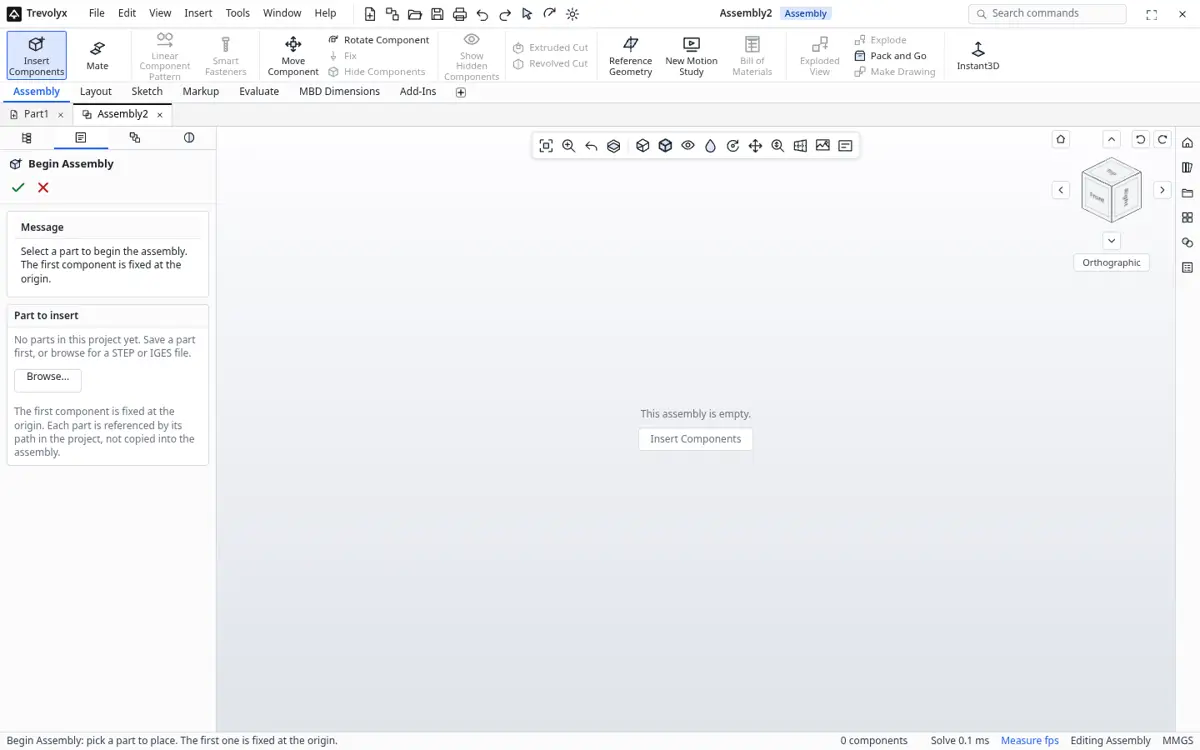
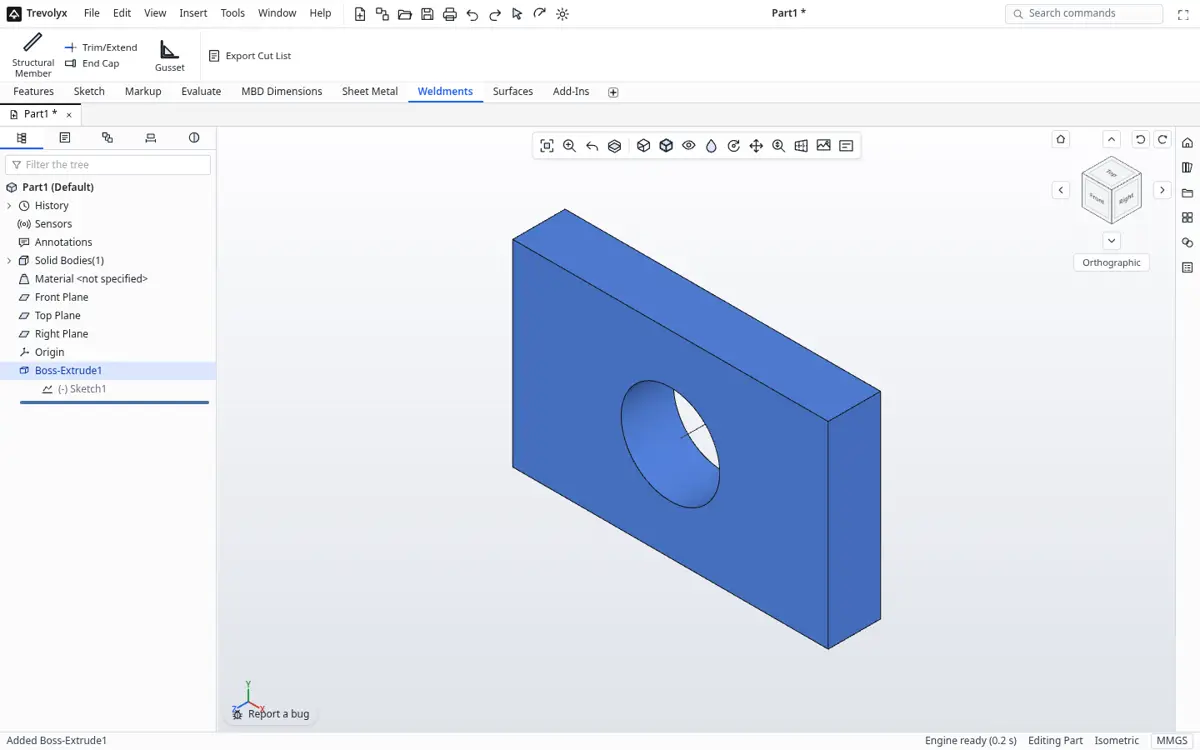
Trevolyx is the only option in this list that is free for commercial use, needs no install and keeps files on your own computer. Its SolidWorks-style ribbon, tree and command names make it quick to pick up for most Indian engineers. Sheet metal flat patterns and weldment cut lists are built in. The trade-offs: no FEA, 3D Sketch, Markup or MBD yet, it is desktop only, and Safari and Firefox are not fully tested.
2. FreeCAD: best open source all-rounder
FreeCAD is free, open source and runs natively on Windows, macOS and Linux. It is the strongest free option if you need simulation today thanks to its FEM workbench, and it has CAM and many community add-ons. Its workbench-based interface takes time to learn, especially if you come from SolidWorks.
3. Onshape Free: best for open, public collaboration
Onshape is a capable cloud CAD with real-time collaboration and version control. The Free plan includes parts, assemblies, drawings, sheet metal and weldments, but it is for non-commercial use only and every document is public, per Onshape's pricing page. Great for open hardware, unsuitable for private or client work.
4. Fusion for personal use: best for hobby CNC
Fusion for personal use combines CAD with 2.5 and 3 axis CAM, which makes it popular with home CNC users. Autodesk limits it to home-based, non-commercial use under 1,000 USD a year, 10 editable documents at a time, and limited drawings and export types.
5. SOLIDWORKS for Makers: the real thing, at a price
Not free, but often considered. It costs 48 USD a year list price for personal use with project sales up to 2,000 USD. The desktop version is Windows only; xDesign runs in a browser but needs a constant connection, and files can only be opened with a Makers licence, per the official FAQ.
6. Solid Edge Community Edition: powerful, Windows only
Siemens offers a free Community Edition for personal, non-commercial use, with parts, assemblies, sheet metal and simulation. Its files cannot be opened in commercial Solid Edge and drawings are watermarked. It requires Windows 10 or 11 Pro or Enterprise; Home editions are not supported.
How to switch to Trevolyx from any of these
- Export STEP from your current program: File, Export or Save As, STEP.
- Open trevolyx.taskninja.ai in Chrome or Edge and click Open on the start screen.
- Check the model with Measure and Mass Properties, then keep modelling on top of it.
- For sheet metal, rebuild the part with Base Flange and Edge Flange so you get a live flat pattern.
What changed in 2026
The biggest change is that browser CAD is now a normal choice rather than a novelty. WebGL2 and WebAssembly are available in every current Chromium browser, which is why Trevolyx and Onshape can run full solid modelling without an install. Desktop tools still lead on raw capacity and on simulation, so the right choice depends on your models, not on hype. We will update this page when vendors change their free plans.
Frequently asked questions
What is the best free CAD software?
For SolidWorks-style work with private files and commercial use, Trevolyx. For open source with FEA, FreeCAD. For public collaboration, Onshape Free. For hobby CNC, Fusion for personal use.
Which free CAD allows commercial use?
Of the options compared, Trevolyx and FreeCAD. Onshape Free, Fusion for personal use, SOLIDWORKS for Makers and Solid Edge Community Edition restrict commercial use, per their official pages.
Which free CAD needs no installation?
Trevolyx and Onshape run in a browser. SOLIDWORKS xDesign for Makers also runs in a browser but is paid.
Does Trevolyx have simulation?
Not yet. FEA, 3D Sketch, Markup and MBD are not in v1.
Is this comparison biased?
We make Trevolyx, so treat our ranking with that in mind. Every competitor fact links to its official source so you can check it.
Related
Sources
Competitor details checked on their official pages on 5 November 2026. Plans change; please confirm there.
- SOLIDWORKS for Makers (solidworks.com)
- SOLIDWORKS xDesign for Makers FAQ (solidworks.com)
- Onshape plans and pricing (onshape.com)
- Onshape Free plan (onshape.com)
- Autodesk Fusion for personal use (autodesk.com)
- Fusion 10 editable document limit (autodesk.com)
- Solid Edge Community Edition (siemens.com)
- Solid Edge system requirements (siemens.com)
- FreeCAD (freecad.org)
SolidWorks, CATIA and 3DEXPERIENCE are trademarks of Dassault Systemes. Inventor, AutoCAD and Fusion are trademarks of Autodesk. Onshape is a trademark of PTC. Solid Edge is a trademark of Siemens. FreeCAD is a project of its community. Trevolyx is not affiliated with or endorsed by any of them; names are used only to describe compatibility and comparisons.