A free alternative to Autodesk Inventor
Looking for a free Inventor alternative? Compare Trevolyx, FreeCAD, Onshape Free and Fusion for personal use, see what each can do, and move Inventor parts across with STEP.
Open TrevolyxFree, desktop browser, nothing uploaded.
Why people look for an Inventor alternative
Autodesk Inventor is a capable mechanical CAD program, but Autodesk says it requires Windows, and outside education it is a paid subscription. Autodesk does give eligible students and educators free one year Education access that is renewable while they stay eligible, but that access is for learning and research only and may not be used for commercial work.
That leaves three groups looking elsewhere: graduates who lose education access, makers and small shops who cannot justify a commercial seat, and anyone on a Mac, Chromebook or Linux machine where Inventor does not install. This page compares the free options for them, including our own browser CAD.
What Trevolyx offers Inventor users
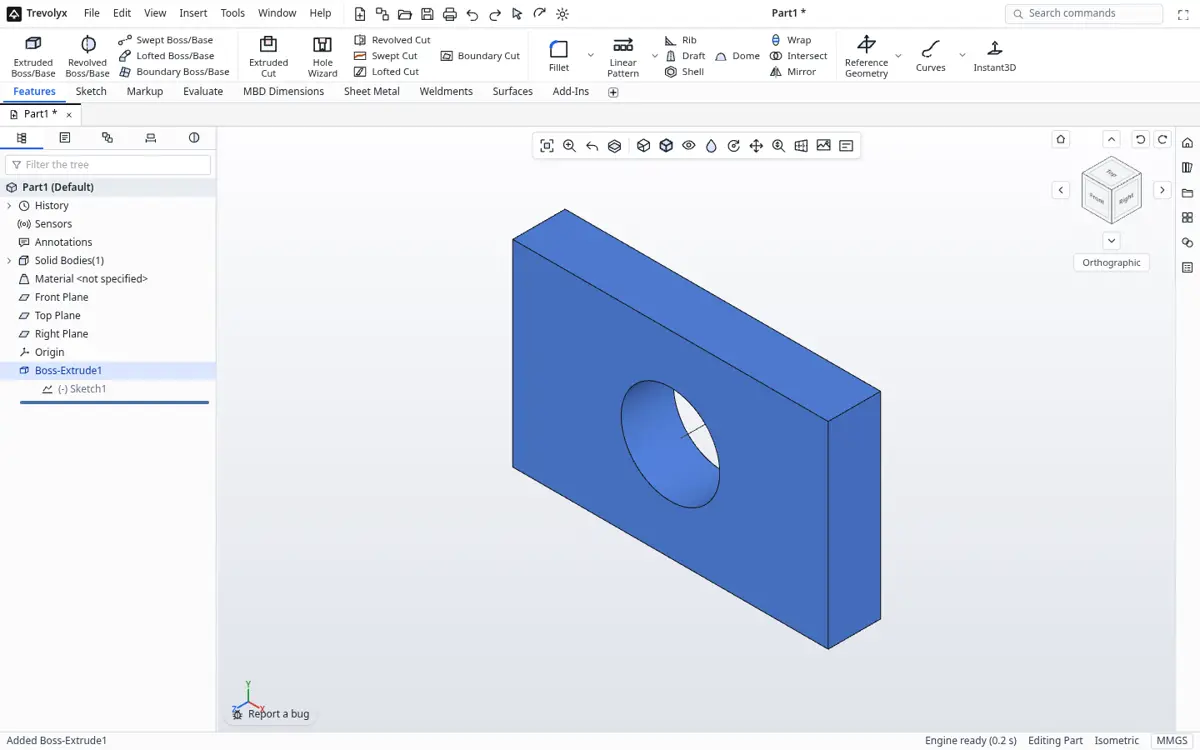
Trevolyx is a free parametric 3D CAD that runs in Chrome or Edge on a desktop or laptop. It has sketches with dimensions and relations, extrude, revolve, fillet, chamfer, shell and patterns, sheet metal with flat pattern DXF export, weldments with a cut list, assemblies with mates and exploded views, and 2D drawings with standard, section and detail views that save as DXF and PDF. It opens STEP and IGES and exports STEP, plus STL and 3MF for printing. There is no account, and your files stay on your computer because the geometry engine runs inside the browser.
The workflow will feel familiar. You sketch on a plane, add dimensions and constraints, then build features that stay editable in a history tree. Assemblies use mates, which play the same role as Inventor constraints and joints. Drawings start from a standard three view layout and you add sections and details the same way you would in an Inventor IDW or DWG.
Inventor tools and their Trevolyx equivalents
| Inventor | Trevolyx | Notes |
|---|---|---|
| Sketch with constraints | Sketch with relations and dimensions | Same idea, different icons |
| Extrude, Revolve, Sweep, Loft | Extrude, Revolve, Sweep, Loft | Parametric, edit from the tree |
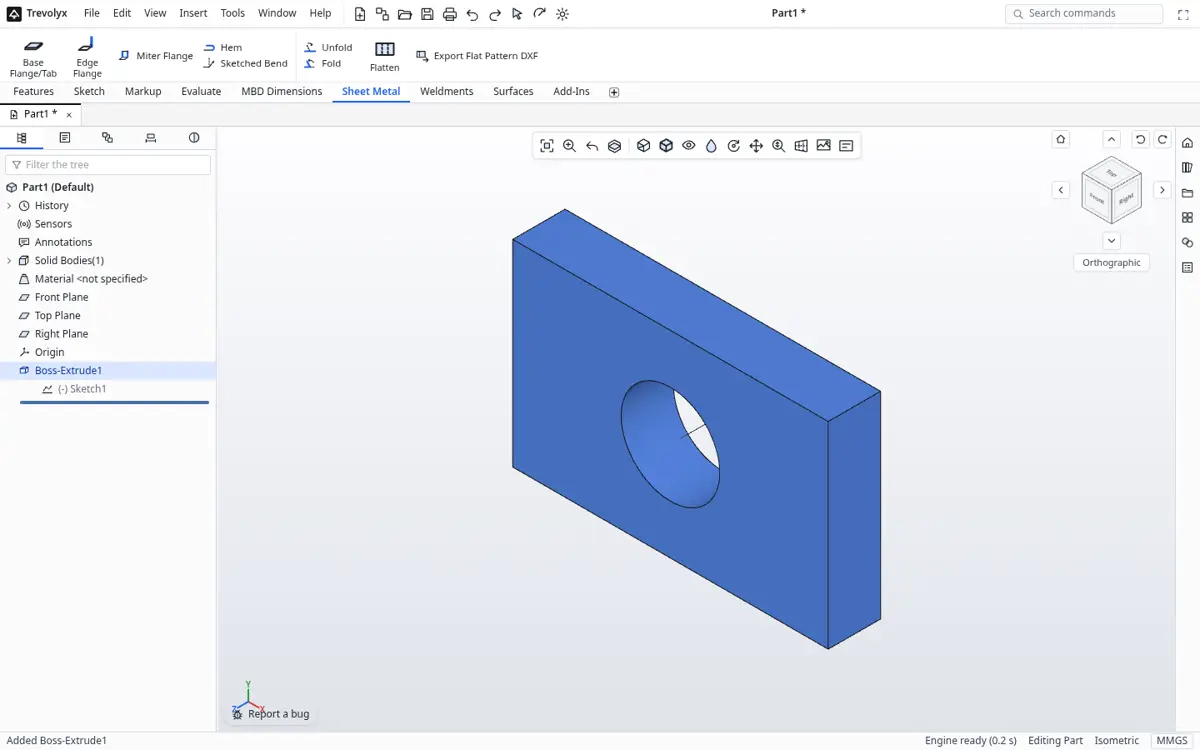
| Sheet Metal environment | Sheet Metal tab | Flat pattern exports to DXF |
| Frame Generator | Weldments tab | Structural members with a cut list |
| Assembly constraints and joints | Mates | Coincident, concentric, distance, angle and more |
| Presentation (exploded views) | Exploded view | Step by step explode in the assembly |
| Drawing (IDW or DWG) | Drawing | Standard, section and detail views, DXF and PDF out |
| Stress Analysis | Not available | No FEA in Trevolyx v1 |
| 3D Sketch | Not available | Not in v1 |
The other free options
FreeCAD is free and open source, installs on Windows, macOS and Linux, and has a FEM workbench for simulation. Its interface is very different from Inventor, so expect a learning curve. Onshape Free runs in a browser but its pricing page describes free documents as public, so it is not a fit for private or commercial parts. Fusion for personal use is free for qualifying non-commercial use and Autodesk limits it to 10 active editable documents.
If you are still a student, the honest advice is to keep using Inventor through the Education plan while you can, because many employers ask for it, and use a free tool for personal or commercial side work that the education terms do not allow.
How to switch from Inventor to Trevolyx
- In Inventor, open the part (.ipt) or assembly (.iam) and use Export, CAD Format, and choose STEP. Keep the native files as your archive.
- Open trevolyx.taskninja.ai in Chrome or Edge and click Open on the start screen, then pick the STEP file. Assemblies arrive with their parts.
- Check size and weight with Measure and Mass Properties on the Evaluate tab.
- For parts you will change often, rebuild the key features as sketches and features so they are parametric again. Feature history and iLogic rules do not transfer between programs through STEP.
- Recreate drawings with Standard 3 View, then add section and detail views and dimensions. Save as DXF or PDF for your shop.
What does not transfer
STEP carries exact solid geometry, part names and assembly structure. It does not carry Inventor feature history, iLogic, parameters tables, iParts, Content Center families or drawing annotations. Plan to remodel the features you need to edit and treat the rest as reference geometry.
Trevolyx v1 does not have simulation (FEA), 3D Sketch, Markup or model based definition (MBD). If your work depends on any of those, keep access to a tool that has them.
Who should stay on Inventor
If you rely on Stress Analysis, Dynamic Simulation, Vault, Content Center libraries or iLogic automation, stay on Inventor for that work. Trevolyx is a good fit for everyday parts, sheet metal, frames, assemblies and drawings when cost, installs or operating system are the blocker.
A first project for Inventor users
A good way to judge any alternative is to rebuild one real part. Pick a bracket you made in Inventor. In Trevolyx start a New Part, choose the Top plane and sketch the base outline. Add the overall dimensions first, then fix the holes with concentric and equal relations. Extrude it to thickness, add a second sketch on a face for the upright flange, and extrude that. Finish with fillets and a hole pattern.
Then open the FeatureManager style tree and change the base dimension. The flange, holes and fillets follow, just as they would in an Inventor browser. If that loop feels natural within an hour, the switch is likely to work for you.
Sheet metal and frames
Inventor users often depend on the sheet metal environment and Frame Generator. In Trevolyx, the Sheet Metal tab creates a base flange from a sketch, then adds edge flanges, and the flat pattern can be saved as DXF for laser or punch work. The Weldments tab places structural members along sketch lines and produces a cut list you can export as CSV. Profiles and options differ from Inventor's libraries, so check that the sizes you buy are available or model them yourself.
Assemblies and drawings
Trevolyx assemblies insert part files and position them with mates such as coincident, concentric, parallel, distance and angle. Exploded views are built in steps. Drawings create standard, projected, section and detail views, with dimensions, balloons and a bill of materials, and export to DXF and PDF. There is no Vault style data management, so organise files in folders or a shared drive.
Cost and licensing in plain terms
Inventor needs a commercial subscription for paid work. Education access is free only for eligible learners and not for commercial use. Trevolyx is free for any use, including commercial work, and does not ask for an account, a credit card or an email address.
Running Trevolyx well
Use a mouse with a scroll wheel, a screen at least 1366 pixels wide, and Chrome or Edge with hardware acceleration on. Integrated graphics are fine for parts and small assemblies. The system requirements page has a Check my computer button that tests WebGL2, WebAssembly and memory in a few seconds.
Frequently asked questions
Is there a free version of Inventor?
Autodesk offers free one year Education access to eligible students and educators, renewable while eligible, for learning and research only. There is no free commercial version. Check the Autodesk Education page for current terms.
Can Trevolyx open Inventor files?
Not the native .ipt or .iam files. Export STEP from Inventor and open that in Trevolyx.
Does Trevolyx have Frame Generator?
It has a Weldments tab for structural members with a cut list, which covers similar frame work.
Does Trevolyx have stress analysis?
No. FEA is not in v1. FreeCAD has a FEM workbench if you need free simulation.
Is Trevolyx free for commercial use?
Yes. There is no account and no paid tier.
Related
Sources
Competitor details checked on their official pages on 5 November 2026. Plans change; please confirm there.
SolidWorks, CATIA and 3DEXPERIENCE are trademarks of Dassault Systemes. Inventor, AutoCAD and Fusion are trademarks of Autodesk. Onshape is a trademark of PTC. Solid Edge is a trademark of Siemens. FreeCAD is a project of its community. Trevolyx is not affiliated with or endorsed by any of them; names are used only to describe compatibility and comparisons.