A free Inventor alternative for Mac
Inventor does not run natively on macOS. See the honest options for Mac users, including Trevolyx, a free parametric CAD that runs in Chrome or Edge on a Mac.
Open TrevolyxFree, desktop browser, nothing uploaded.
Can you run Inventor on a Mac?
Not natively. Autodesk's own support article says Inventor cannot be installed on macOS and requires Windows. It lists three workarounds: Boot Camp on Intel Macs, a virtual machine such as Parallels or VMware, or remote access to a Windows computer. It also notes that virtual machines reduce performance and that Apple silicon Macs were not tested with Boot Camp or virtual machines, with possible issues opening files under Parallels on M1 and M2.
Boot Camp does not exist on Apple silicon Macs, so for most current Mac owners the realistic paths are a Windows virtual machine, a remote Windows PC, or a different CAD program.
What Trevolyx offers Mac users
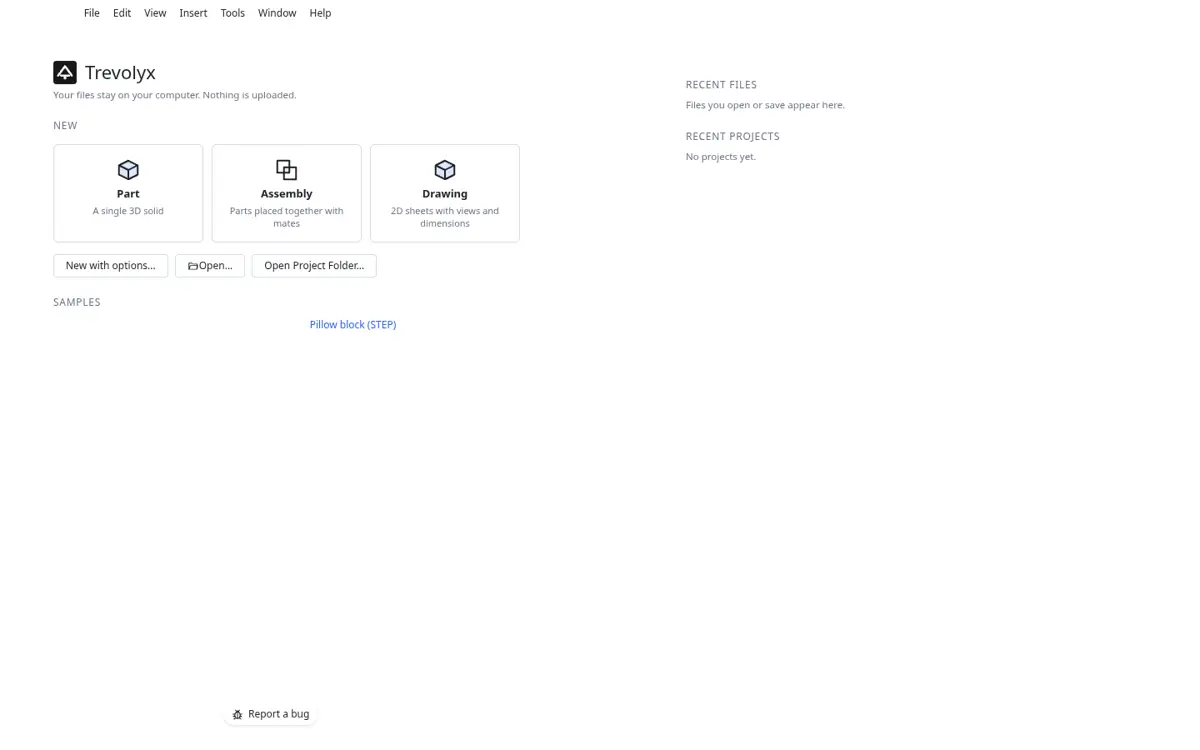
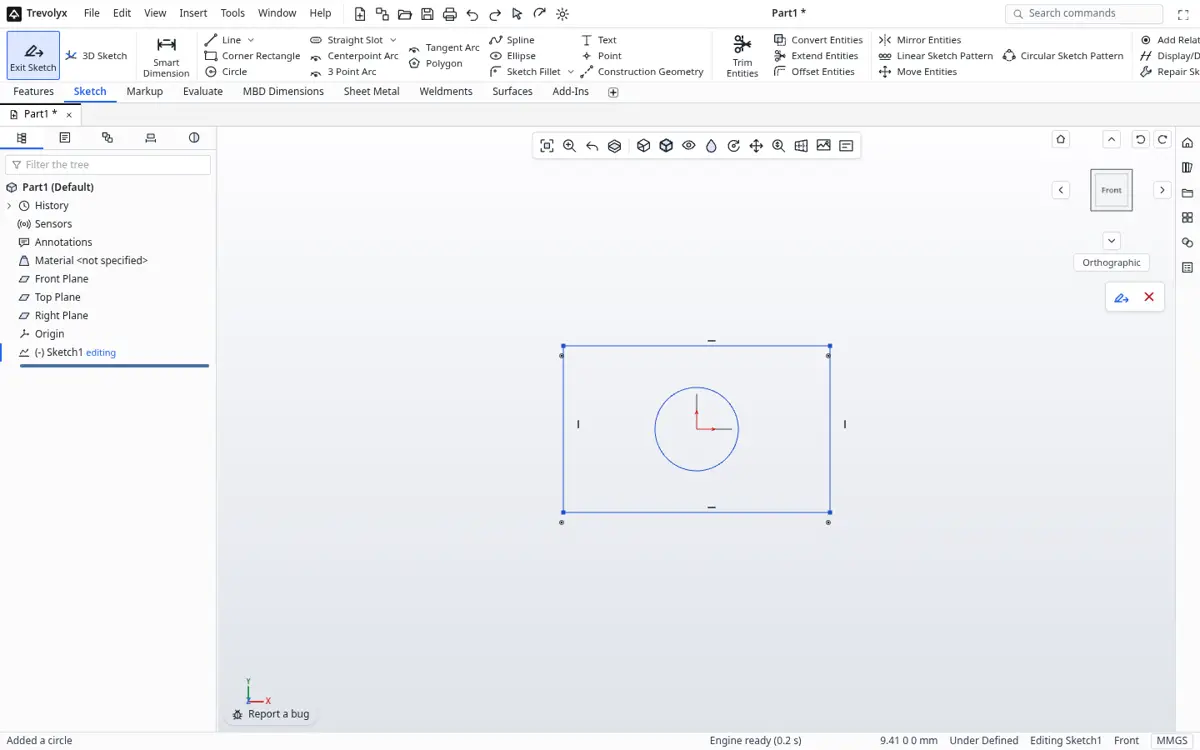
Trevolyx is a free parametric 3D CAD that runs in Chrome or Edge on a desktop or laptop. It has sketches with dimensions and relations, extrude, revolve, fillet, chamfer, shell and patterns, sheet metal with flat pattern DXF export, weldments with a cut list, assemblies with mates and exploded views, and 2D drawings with standard, section and detail views that save as DXF and PDF. It opens STEP and IGES and exports STEP, plus STL and 3MF for printing. There is no account, and your files stay on your computer because the geometry engine runs inside the browser.
On a Mac you open trevolyx.taskninja.ai in Chrome or Edge. There is no installer, no virtual machine and no Windows licence to buy.
Our honest basis for the Mac claim
Trevolyx is built and tested in Chromium based browsers, Chrome and Edge. Chrome and Edge on macOS use the same Chromium engine, WebGL2 graphics and WebAssembly runtime. We have not yet done a full test pass on a physical Mac, and Safari is not fully tested, so use Chrome or Edge. The Check my computer button on the system requirements page confirms WebGL2, WebAssembly and memory on your own Mac in seconds.
Mac options compared
| Trevolyx | Inventor in a Windows VM | FreeCAD | Fusion personal | |
|---|---|---|---|---|
| Runs natively on macOS | In Chrome or Edge | No, needs Windows | Yes | Yes |
| Cost | Free | Inventor plus Windows and VM licences | Free | Free for qualifying personal use |
| Commercial use | Allowed | With a commercial licence | Allowed | Not allowed on personal plan |
| Install | None | Windows VM plus Inventor | Download | Download |
| Simulation (FEA) | No | Yes | FEM workbench | Not included on personal plan |
| 3D Sketch | No | Yes | Yes | Yes |
FreeCAD and Fusion on a Mac
FreeCAD offers native builds for Apple silicon and Intel Macs, with macOS 12 as the minimum on its download page. It is fully open source and includes simulation, but the interface is unlike Inventor. Fusion for personal use runs on macOS and is free for qualifying non-commercial use, with a 10 active editable document limit described on Autodesk's own blog.
How to move Inventor work to your Mac
- On the Windows computer or VM that has Inventor, export each part and assembly as STEP.
- Copy the STEP files to your Mac with a USB drive or cloud storage.
- Open trevolyx.taskninja.ai in Chrome or Edge on the Mac and click Open, then choose the STEP file.
- Rebuild features you plan to change often so they are parametric again; history does not transfer.
- Make drawings with Standard 3 View and save DXF or PDF.
Mac mouse and trackpad tips
A mouse with a scroll wheel is strongly recommended. Scroll to zoom, middle drag to rotate and Ctrl plus middle drag to pan. A trackpad works for light editing, but precise sketching is easier with a mouse. On Mac keyboards the Ctrl based shortcuts use Control in Trevolyx, as listed on the features page.
Why a virtual machine is not ideal
Running Inventor inside Windows on a Mac works for some people, but it adds costs and friction. You need a Windows licence, a virtualisation product and an Inventor licence, and Autodesk notes that virtual machines carry performance overhead. Graphics drivers inside the virtual machine are a common source of problems, and the setup takes a large share of disk space on Macs that often have limited storage.
A browser CAD avoids all of that. If you only need to open STEP files, make changes and produce drawings, Trevolyx in Chrome is far less to manage.
Remote Windows as an option
Autodesk also lists remote access to a Windows computer. If your employer or school gives you a remote desktop with Inventor, that is a sensible way to keep using native files on a Mac. Expect some latency when rotating models, and you still need a good connection. Many people pair that setup with a local browser CAD for quick edits away from the office.
Exchanging files with Inventor colleagues
If coworkers stay on Inventor, agree on STEP as the shared format for 3D and PDF or DXF for drawings. Ask them to export STEP AP214 or AP242 so colours and names come across where possible. Send your Trevolyx changes back as STEP. They can import it into Inventor as a base solid and continue there. Keep a simple naming scheme with revision letters, because native history will not travel with the files.
A short checklist before you rely on it
Open the system requirements page on your Mac and press Check my computer. Make sure WebGL2 passes without a software renderer warning. Open a real STEP file from your work, measure two or three dimensions you know, then make a drawing and print it to PDF. If all of that works, you have a working Inventor alternative on your Mac without installing anything.
Equations, design tables and configurations
Inventor users who rely on parameters will find equations, design tables and configurations in Trevolyx. Global variables can drive dimensions across a part, and configurations let one file hold several sizes of the same design. iLogic rules have no equivalent, so automation that depends on code needs to stay in Inventor or be rewritten as equations.
These tools are what make a parametric model worth building: one change to a length or hole count updates the whole part, and drawings follow. Spend an hour learning them early and every later design goes faster.
Keyboard shortcuts
Familiar shortcuts work: New, Open and Save use the usual modifier with N, O and S, and on a Mac the Command key works as well as Control because Trevolyx accepts either. Hold the modifier or Shift to add items to a selection, the same way you would in Inventor.
Which Mac is enough
Any Mac that runs a current version of Chrome or Edge with WebGL2 should open Trevolyx. In our Chromium measurements the first visit downloads about 8.3 MB and a working session uses around 400 MB for the tab and GPU together, so 8 GB of memory is comfortable for parts and small assemblies. Large assemblies benefit from 16 GB. Integrated Apple graphics are fine.
Trevolyx v1 does not have simulation (FEA), 3D Sketch, Markup or model based definition (MBD). If your work depends on any of those, keep access to a tool that has them.
Frequently asked questions
Is there a Mac version of Inventor?
No. Autodesk says Inventor requires Windows and lists Boot Camp, virtual machines and remote access as the options on a Mac.
Does Trevolyx run on Apple silicon?
It runs in Chrome or Edge, which support Apple silicon. We have not completed a full test pass on a physical Mac, so check with the Check my computer button.
Does Trevolyx work in Safari?
Safari is not fully tested. Use Chrome or Edge.
Can I open Inventor files on a Mac?
Export STEP from Inventor, then open the STEP in Trevolyx on your Mac.
Is it free?
Yes, with no account and no paid tier.
Related
Sources
Competitor details checked on their official pages on 5 November 2026. Plans change; please confirm there.
SolidWorks, CATIA and 3DEXPERIENCE are trademarks of Dassault Systemes. Inventor, AutoCAD and Fusion are trademarks of Autodesk. Onshape is a trademark of PTC. Solid Edge is a trademark of Siemens. FreeCAD is a project of its community. Trevolyx is not affiliated with or endorsed by any of them; names are used only to describe compatibility and comparisons.